

A job requisition is an internal, authorized request to open or fill a position and secure the associated budget. Before any recruiter posts a role or screens a single resume, this document needs to exist, be complete, and carry the right approvals.
If you want hiring to move forward without delays, draft the requisition as the business case HR and finance can approve quickly. Right now, confirm three things: your cost center code is valid, the reporting line is defined, and the position hasn’t been frozen in your HRIS. Those three checks alone prevent the most common immediate rejections.
Who typically needs to sign:
- Hiring manager (initiates and owns the business case)
- Department head or VP (validates headcount against team plan)
- Finance or budget owner (confirms funding and cost center)
- HR business partner (checks compliance, classification, and compensation band)
Table of Contents
- Why a job requisition matters beyond the paperwork
- What every job requisition needs to include
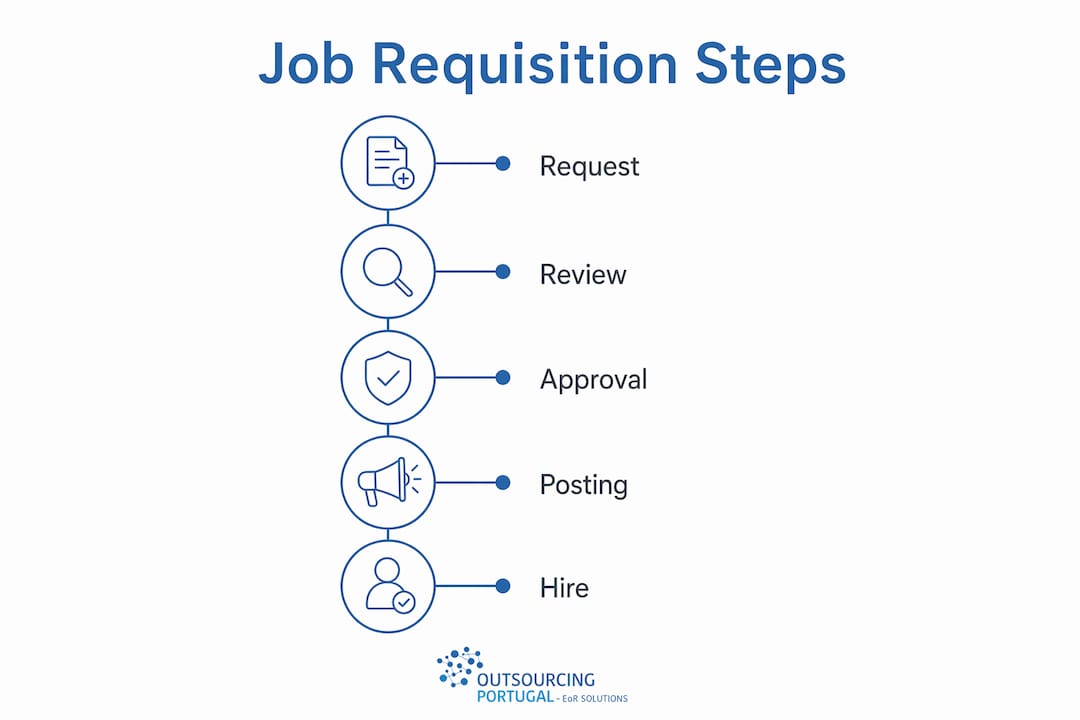
- How to create a job requisition step by step
- Who approves a requisition and how long it takes
- How a job requisition differs from a job posting and other documents
- Common mistakes that delay approvals and how to fix them
- How requisition errors cascade into payroll, benefits, and onboarding
- A ready-to-use job requisition template and filled example
- Key Takeaways
- Why HR teams should own the requisition process, not just administer it
- Useful sources and further reading
- Hiring in Portugal? Outsourcing-portugal handles the compliance so you don’t have to
Why a job requisition matters beyond the paperwork
Most hiring managers treat a requisition as a form to fill out before the “real” work starts. That framing costs time and money. A requisition is actually a spending request. Finance sees it the same way they see a purchase order: it either has a funded position behind it or it doesn’t.
A well-built requisition does three things simultaneously. It creates an auditable paper trail that supports legal and financial accountability. It prevents hiring without approved funding. And it forces the hiring manager to articulate why this role matters now, which is exactly what workforce planning requires.
The correct frame: A requisition asks permission to spend. It must link the role to measurable business goals — not just describe what the person will do, but explain what happens to revenue, capacity, or compliance if the role stays empty.
From a compliance standpoint, requisitions also anchor your Equal Employment Opportunity (EEO) recordkeeping. Every step from job posting to final selection should trace back to the approved requisition. Without it, you have no documented basis for the hiring criteria you applied, which creates real exposure in an audit or a discrimination claim.
What a requisition prevents:
- Reactive hiring driven by urgency rather than workforce strategy
- Duplicate headcount requests across departments
- Salary offers that fall outside approved compensation bands
- Hires that don’t map to an approved budget line
Consider the difference between two scenarios: a department head who submits a requisition with a clear business justification (“our support ticket volume has grown 40% and current staff are at 115% capacity”) gets finance sign-off in two days. A manager who submits “need another analyst” gets sent back for revision. The content of the justification is the difference.
What every job requisition needs to include
Standardized requisition templates correlate with faster time-to-fill because stakeholders spend less time interpreting nonstandard requests. Below is the complete field checklist. Fields marked with an asterisk commonly auto-populate from a job profile in HRIS systems like Workday — but always verify them manually before submission.
- Job title*: Use the official classification title, not an internal nickname. Mismatches between the title here and the approved position profile trigger returns.
- Department and cost center code: The budget code must match an active, funded line. If it doesn’t, finance will reject immediately.
- Hiring manager: Name and employee ID. This person owns the requisition and is the primary approver contact.
- Reason for hire: New headcount, backfill (with departing employee’s name and last day), or restructure. Each reason triggers a different approval path.
- Employment type: Full-time, part-time, contract, or temporary. This field drives benefits eligibility and payroll classification downstream.
- Number of openings: How many positions this single requisition covers.
- Job profile / job description: Attach the approved job description template or link to the position profile in your HRIS. Required qualifications, preferred qualifications, and essential functions must be explicit.
- Proposed salary or compensation band: State the full range, not just the midpoint. Finance needs the ceiling to model total annual cost including benefits load.
- Expected start date: Realistic, not aspirational. Build in time for approvals, posting, screening, and notice periods.
- Remote/onsite/hybrid status: Affects location-based pay adjustments and compliance requirements.
- Reporting line: Direct manager’s name and title. Must match the org chart in your HRIS.
- Required clearances or visas: Flag any security clearance, professional license, or work authorization requirement upfront. These extend time-to-fill significantly.
- Interview process: Number of rounds, panel composition, and any required assessments. Setting this in the requisition keeps the process consistent and defensible.
- Recruiting instruction: Internal-only posting, external posting, or both. This determines where and how long the role is advertised.
- Target time-to-fill / SLA: The date by which the role needs to be filled. Helps recruiters prioritize and gives finance a timeline for budget impact.
Pro Tip: Write the business justification around consequences, not activities. “This role will manage our CRM migration” is weak. “Without this hire, the CRM migration stalls in Q3, delaying $2M in projected revenue recognition” gets approved. Finance responds to risk and impact, not job duties.
Note: worker sub-type, job profile, and location fields often auto-populate in Workday from the position data, but auto-populated values are frequently stale. Verify each one manually, especially after a reorg.

How to create a job requisition step by step
The Workday tip sheet from UPenn’s Provost office notes that the creation process takes about a quarter of an hour if the prework is done. That prework is where most delays actually originate.
Prework checklist (complete before opening the requisition)
- Confirm the position exists and is unfrozen in your HRIS. Some organizations require positions to be explicitly validated before a requisition can be submitted — attempting to open one for a frozen position is a frequent cause of immediate rejection.
- Verify the headcount is in the approved plan for this fiscal period.
- Confirm the cost center has available budget.
- Identify the correct job profile in your HRIS (not just the job title).
- Pull current market salary data for the role and location (use Bureau of Labor Statistics Occupational Employment data, your compensation team’s survey data, or a benchmarking tool).
- Identify your recruiter and confirm their availability.
Step-by-step creation
- Open a new requisition in your HRIS (Workday, Greenhouse, Lever, or your ATS). Select the correct position from the position management module, not a free-text entry.
- Select the reason for hire (new position, backfill, or restructure). This routes the requisition to the correct approval chain.
- Complete all required fields from the checklist above. Do not leave optional fields blank if the information is available — incomplete optional fields slow reviewer decisions.
- Attach the job description template. If your organization uses a standard template, use it. Custom descriptions that don’t match the approved job profile create classification problems.
- Set the target hire date and posting dates. Work backward from the start date: subtract notice period, interview rounds, offer negotiation, and background check time.
- Assign the recruiter and confirm the recruiting instruction (internal, external, or both).
- Write the business justification. One paragraph, impact-focused. See the template section below for a filled example.
- Run the pre-submission checklist (see table below) before hitting submit.
| Pre-submission check | What to verify |
|---|---|
| Cost center code | Active and funded for this fiscal year |
| Worker sub-type | Matches employment type (regular, temporary, contract) |
| Job profile | Correct classification, not a legacy or archived profile |
| Reporting line | Matches current org chart in HRIS |
| Salary band | Within the approved compensation range for this level |
| Start date | Realistic given approval and recruiting timelines |
| Attachments | Job description and any required supporting documents attached |
The U.S. Office of Personnel Management’s hiring roadmap recommends creating a “hiring contract” between the manager and HR that outlines responsibilities and timeframes for each stage. Even a simple email confirmation of who owns what step prevents the most common handoff failures.

Who approves a requisition and how long it takes
The approval workflow is often the longest part of pre-recruitment. Multi-step approval routing typically includes HR validation, then finance or CFO review for funded positions, then a final executive sign-off. Some organizations aim to complete each approval step within a few working days.
What each approver looks for:
- Hiring manager: Owns the business case. Should be the one who wrote the justification.
- Department head: Confirms the role fits the team’s approved headcount plan and org structure.
- Finance / budget owner: Checks cost center validity, total annual cost (salary + benefits load + any signing bonus), and whether the position was in the approved budget.
- HR business partner: Validates job classification, compensation band, EEO compliance, and whether the role requires any special approvals (e.g., executive-level hires).
- Executive sponsor: Required for senior roles, new headcount (as opposed to backfills), or roles above a certain salary threshold.
| Approval stage | Typical timeline | Common bottleneck |
|---|---|---|
| Hiring manager submits | Day 1 | Incomplete fields or missing justification |
| HR validation | Days 1–2 | Misclassified job profile or wrong compensation band |
| Finance review | Days 2–4 | Cost center mismatch or budget not confirmed |
| Executive sign-off | Days 4–6 | Scheduling or threshold not met for escalation |
| Requisition approved | Days 5–7 | Any return for revision resets the clock |
How to present budget fields to finance: State the total annual cost, not just base salary. Include the benefits load (typically a significant portion of base salary in the U.S.), any expected signing bonus, and equipment or software costs for the role. Finance models headcount cost fully loaded. If you only give them a salary number, they’ll send it back.
How a job requisition differs from a job posting and other documents
These documents are related but serve completely different purposes. Mixing them up routes paperwork to the wrong process and delays hiring.
- Job requisition vs. job posting: The requisition is an internal business case for approval and budget. The posting is an external-facing marketing tool created after the requisition is approved. You cannot post a role externally without an approved requisition behind it.
- Job requisition vs. job order: A job order is what you send to a staffing agency when you want them to source candidates. It’s derived from the requisition but formatted for the agency’s use. The requisition stays internal.
- Job requisition vs. additional employment request: Municipal and federal forms like the Additional Employment Request are separate processes for existing employees taking on additional duties. They are not substitutes for a requisition and should not be used in place of one.
- Internal vs. external requisitions: An internal requisition restricts the search to current employees (transfers, promotions). An external requisition opens the role to outside candidates. Some organizations run both simultaneously; others require internal posting first for a defined period before going external.
When handling an internal transfer, the receiving department typically initiates a new requisition even if no external posting will occur. This preserves the budget approval and headcount tracking, and it creates the paper trail needed for EEO recordkeeping.
Common mistakes that delay approvals and how to fix them
| Mistake | Fix |
|---|---|
| Missing or invalid cost center code | Confirm the code with finance before opening the requisition |
| Vague business justification (“need more help”) | Write the consequence of not hiring: revenue, capacity, or compliance impact |
| Wrong worker sub-type | Match sub-type to employment type; verify in HRIS before submission |
| Salary outside the approved band | Pull the current compensation band from HR before entering a number |
| Incomplete reporting line | Enter the direct manager’s name and title as they appear in the org chart |
| Stale auto-populated fields | Manually verify job profile, location, and worker type after HRIS auto-fill |
| No recruiter assigned | Assign a named recruiter before submission; unassigned requisitions stall |
Pro Tip: Before submitting, have a 15-minute conversation with your finance contact and HR business partner. Confirm the cost center, salary band, and headcount approval verbally. Requisitions that arrive with pre-alignment get approved faster because reviewers aren’t discovering problems for the first time.
Standardized templates reduce approval time because finance and HR can review consistent fields faster. If your organization doesn’t have a standard template, build one and get it adopted. The time investment pays back on the first requisition that doesn’t get returned for revision.
How requisition errors cascade into payroll, benefits, and onboarding
A misconfigured requisition doesn’t just slow down hiring. It creates problems that follow the new employee from their first paycheck onward. Incorrect requisition fields — wrong worker sub-type, misconfigured job profile, or incorrect pay basis — cause downstream payroll, benefits, and system-access errors that are expensive to unwind.
The cascade risk: A single misconfigured HRIS field can ripple into multiple operational problems — wrong benefits enrollment, incorrect tax withholding, delayed system access, and misclassified payroll records. Fixing these after the employee starts costs far more time than verifying the fields before submission.
QA checklist for HR and IT before a requisition is submitted:
- Worker sub-type matches the intended employment classification (regular full-time, part-time, temporary)
- Pay basis (hourly vs. salaried) is correct for the role
- Cost center matches the department’s active budget line
- Job profile links to the correct position in the HRIS position management module
- Location field reflects where the employee will actually work (affects tax and benefits)
- Benefits eligibility group is set correctly for the employment type
For teams managing global payroll or multi-jurisdiction hires, the stakes are higher. A location field error on an international requisition can trigger the wrong statutory benefits package or misclassify the employment relationship entirely. The workforce compliance workflow for cross-border hires adds additional validation steps that should be built into the requisition review process.
Prevention steps:
- Audit requisition entries against the approved position profile before submission
- Use standardized templates that constrain field options (dropdowns instead of free text where possible)
- Run a test requisition end-to-end in a sandbox HRIS environment when implementing a new template
- Assign one HR team member to review HRIS field accuracy on every requisition before it enters the approval queue
A ready-to-use job requisition template and filled example
Blank template
| Field | Instructions |
|---|---|
| Job title | Official classification title from your HRIS position management module |
| Department | Full department name as it appears in your org chart |
| Cost center code | Active budget code confirmed with finance |
| Hiring manager | Full name and employee ID |
| Reason for hire | New headcount / Backfill (include departing employee name) / Restructure |
| Number of openings | Integer; one requisition per distinct role |
| Employment type | Full-time / Part-time / Contract / Temporary |
| Compensation band | Full range (minimum to maximum); include benefits load for finance |
| Expected start date | Realistic date accounting for approvals, posting, and notice period |
| Remote/onsite/hybrid | Specify; note any location-based pay adjustment |
| Reporting line | Direct manager name and title |
| Required clearances | List any license, certification, or security clearance required |
| Interview process | Number of rounds, panel members, and any required assessments |
| Recruiting instruction | Internal only / External / Both |
| Business justification | One paragraph: why now, what happens if unfilled, measurable impact |
| Target time-to-fill | Date by which the role must be filled |
Filled example
| Field | Example entry |
|---|---|
| Job title | Senior Customer Success Manager |
| Department | Customer Experience |
| Hiring manager | Jordan Lee, Employee ID — |
| Reason for hire | Backfill — Maria Santos, last day June — |
| Number of openings | 1 |
| Employment type | Full-time |
| Expected start date | August —, 2026 |
| Remote/onsite/hybrid | Hybrid (2 days onsite, Austin TX) |
| Reporting line | VP Customer Experience, Alex Rivera |
| Required clearances | None |
| Interview process | 3 rounds: recruiter screen, hiring manager interview, panel with 2 team leads |
| Recruiting instruction | External posting on LinkedIn and company careers page |
| Business justification | Maria Santos’s departure leaves a portfolio of 42 enterprise accounts without a dedicated CSM. Without a replacement by mid-August, renewal risk on $1.8M ARR increases significantly, and the remaining team absorbs an unsustainable workload. This backfill is funded in the approved FY2026 headcount plan under —. |
| Target time-to-fill | August 15, 2026 |
Notes on adapting this template:
- For internal-only postings, remove the external job board field and add the internal posting period required by your policy.
- In Workday, paste the business justification into the “Justification” free-text field; attach the job description as a supporting document.
- For job screening strategies that flow from the requisition, ensure the required qualifications in the job description match exactly what your ATS will use to filter applications.
- When hiring for talent sourcing roles or building out a recruiting function, the recruiter job description fields in the requisition should reflect the sourcing channels and markets the recruiter will own.
Key Takeaways
A job requisition is a spending request first and an HR form second — treat it that way and approvals move faster.
| Point | Details |
|---|---|
| Treat requisitions as budget requests | Finance approves headcount the same way they approve purchases; link every role to a funded cost center and a business impact. |
| Validate HRIS fields before submission | Auto-populated fields in Workday and similar systems are frequently stale; manually verify worker sub-type, job profile, and location on every requisition. |
| Write justification around consequences | State what happens if the role stays empty — revenue at risk, capacity gaps, compliance exposure — not just what the person will do. |
| Standardize the template | Consistent field formats let finance and HR review faster; one standard template across the organization reduces back-and-forth significantly. |
| Outsourcing-portugal for international hires | When an approved requisition leads to hiring in Portugal or another EU market, Outsourcing-portugal provides EOR and payroll services that handle compliance without requiring a local entity. |
Why HR teams should own the requisition process, not just administer it
The conventional wisdom is that hiring managers own requisitions and HR just processes them. That split is where most delays come from.
HR teams that treat requisition management as a passive intake function end up chasing approvals, correcting fields, and explaining rejections after the fact. The teams that move fastest are the ones where an HR business partner is involved before the requisition is even opened — confirming the job profile, the compensation band, and the cost center in a short conversation that takes less time than a single revision cycle.
The most underrated process improvement available to most HR teams is a 15-minute pre-submission alignment call with the hiring manager and finance contact. Not a formal meeting. Just a quick confirmation that the three critical fields (cost center, salary band, headcount approval) are correct before the requisition enters the queue. That one habit eliminates the majority of returns for revision.
Requisition aging is a metric worth tracking. If your average time from submission to approval is running longer than five to seven business days, the bottleneck is almost always one of two things: incomplete justifications or mismatched HRIS fields. Both are preventable with the right template and a brief pre-submission check.
The recruiter role in this process matters too. A recruiter who reviews the requisition before it’s submitted — not after approval — catches field errors and unrealistic timelines while there’s still time to fix them without resetting the approval clock.
Useful sources and further reading
These are the primary references behind this guide. Each one is worth bookmarking for HRIS-specific steps, policy templates, and compliance checks.
- U.S. OPM End-to-End Hiring Roadmap: The federal hiring roadmap covers discrete milestones from requisition creation through selection. Particularly useful for the “hiring contract” concept and SLA-setting between managers and HR.
- UPenn Provost Workday Tip Sheet: Step-by-step Workday field guidance with notes on auto-populate pitfalls and the 15-minute completion benchmark. Use this for HRIS implementation and training.
- Gusto: What Is a Job Requisition?: Clear overview of requisition components and the business-justification framing. Good for onboarding hiring managers who are new to the process.
- Indeed: 10 Common Components of a Job Requisition: Covers the requisition-vs-posting distinction and field definitions. Useful as a quick reference for recruiters.
- HRCloud: What Is Job Requisition?: Focuses on the audit trail and compliance rationale. Relevant for teams building or updating their requisition policy.
- North Carolina OSHR Recruitment and Posting Policy: State-level policy covering vacancy announcement requirements, internal vs. external posting rules, and exceptions. A practical reference for public-sector HR teams and a useful benchmark for private-sector policy design.
- University of Virginia Recruitment and Hiring Procedures Guide: Detailed procedural guide covering position descriptions, ATS integration, EEO requirements, and interview process documentation. Particularly strong on the connection between the requisition and downstream selection criteria.
- Payroll services reference for global teams: For teams managing requisitions that lead to international hires, this resource covers payroll service considerations in emerging markets.
Hiring in Portugal? Outsourcing-portugal handles the compliance so you don’t have to
When your approved requisition points to a hire outside the U.S. — particularly in Portugal or the broader EU — the compliance layer gets significantly more complex. Setting up a local legal entity takes months and carries ongoing administrative cost. That’s the gap Outsourcing-portugal fills.

Outsourcing-portugal provides Employer of Record and payroll services in Portugal for international companies that need to hire quickly and compliantly without establishing a local entity. You handle the requisition and the hiring decision; Outsourcing-portugal handles employment contracts, statutory benefits, payroll processing, and legal compliance under Portuguese labor law. The model is built for companies that have already done the internal work — approved the headcount, written the justification, selected the candidate — and need a compliant path to get that person on payroll fast.
If your requisition is for a remote or hybrid role that could be based in Portugal, the 2026 hiring guide for HR managers is the right next step. For teams building out remote hiring processes more broadly, the remote hiring checklist covers the operational steps from requisition approval through onboarding. Reach out to Outsourcing-portugal directly to confirm whether your role and timeline fit their EOR model.