Woman reviewing HR cover letter drafts at desk

HR Generalist Cover Letter: Sample, Tips, and ATS Guide

What makes a winning HR generalist cover letter?

A strong HR generalist cover letter leads with a quantified achievement, names the specific HRIS tools you have used, and closes with a direct call to action. Recruiters spend seconds on an initial scan, so your first paragraph needs to do real work. The sample cover letter for an HR generalist that consistently performs in 2026 US hiring cycles follows a tight structure: hook with a number, prove your scope, match the employer’s system, and ask for the conversation.

Here is the core structure that works:

  • Opening hook: One measurable result tied directly to the role, such as cutting time-to-fill significantly or reducing voluntary turnover substantially
  • Credentials up front: Name your SHRM-CP, PHR, or SPHR certification within the first paragraph to clear both ATS filters and recruiter skepticism
  • HR scope proof: Cover benefits administration, FMLA and ADA case management, payroll coordination through systems like ADP, and employee relations investigations
  • Named systems: Reference Workday, BambooHR, or UKG Pro by name, especially when the job posting mentions them
  • Quantified ER record: A line like “managed 22 employee relations cases with zero escalations to outside counsel” signals maturity that generic descriptions never can
  • Employer-specific hook: Show you read the job posting by referencing their HRIS migration, growth stage, or stated HR priority
  • Confident close: Ask for a specific next step, not just a vague “I hope to hear from you”

Table of Contents

How to format your HR cover letter correctly

Cover letter formatting for HR roles follows a stricter standard than most fields, because HR teams judge documents for a living. A sloppy margin or inconsistent font signals exactly the kind of carelessness you are supposed to prevent in others.

  • Margins: 1 to 1.5 inches on all sides
  • Font size: 10.5–12 points in a conventional face such as Calibri, Georgia, or Arial
  • Length: One page, three or four short paragraphs
  • File format: PDF unless the posting specifies DOCX; both are ATS-compatible
  • Header: Match your resume header exactly, same font, same layout, same contact details
  • Spacing: Consistent single or 1.15 line spacing throughout; no random gaps between sections

Pro Tip: Save your file as “FirstName-LastName-HR-Generalist-CoverLetter.pdf” rather than “CoverLetter-Final-v3.pdf.” Recruiters open dozens of attachments; a named file signals the same organizational habit you will bring to their employee records.

How to structure your cover letter content for real impact

The best HR cover letters tell a cohesive story that ties past results to the employer’s specific challenges. They do not restate the resume. Each paragraph carries a number and a named system.

Infographic outlining cover letter structure steps

Opening paragraph: Drop the reader into a problem you solved. “When I joined Brightway Logistics, voluntary turnover was high and time-to-fill was lengthy” is a far stronger opener than “I am writing to express my interest.” The first sentence decides whether the rest gets read.

Close-up of hands writing cover letter draft in café

Body paragraph one: Establish your full generalist scope. Name the areas you own: benefits administration, FMLA and ADA cases, payroll coordination, and employee relations investigations. Mention your certification here. Recruiters scanning for SHRM-CP need to find it fast.

Body paragraph two: Go deeper on one achievement that matches the employer’s stated priority. If the posting mentions an HRIS rollout, describe the BambooHR-to-Workday migration you led, the number of records you cleaned, and the adoption rate you hit. Specificity here is what separates a quantified HR achievement from a job description.

Closing paragraph: Summarize your fit in one sentence and ask for the conversation directly. “I would welcome the chance to walk you through how I would approach your first 90 days” works because it is confident without being presumptuous.

How to pass ATS filters as an HR generalist applicant

ATS systems like Workday, BambooHR, and UKG Pro do not read cover letters the way humans do. They scan for keyword presence, weighting terms pulled directly from the job description. Enterprise ATS tools assess keyword density heavily, which means a letter written for a generic HR role will fail a specific posting even when the candidate is qualified.

  • Mirror the job description: If the posting says “full-cycle recruitment,” use that phrase, not “end-to-end hiring”
  • Name the systems: Workday, BambooHR, and UKG Pro should appear by name if the posting mentions them
  • Front-load keywords: Top-performing HR cover letters place HR keywords and quantified results within the first three paragraphs
  • Use plain text formatting: No tables, no text boxes, no images inside the document; ATS parsers choke on them
  • Match certification names exactly: Write “SHRM-CP” not “SHRM Certified Professional” unless the posting uses the long form
  • Tailor every submission: A single cover letter sent to 20 postings will underperform 20 tailored letters every time

For a deeper look at how HR screening tactics interact with ATS keyword logic, the Outsourcing-portugal team has documented current best practices for 2026 US hiring cycles.

How Portugal-based HR talent supports US companies’ recruitment needs

International companies building or scaling US HR functions face a real tension: they need experienced generalists who understand compliance, HRIS administration, and employee relations, but hiring locally in major US markets is expensive and slow. Portugal offers a concrete alternative.

Outsourcing HR functions to Portugal gives international companies access to a highly educated, multilingual workforce at competitive labor costs, within a stable EU governance framework. Portugal-based HR generalists can handle HRIS administration, benefits coordination, payroll processing, and employee relations support as nearshore partners to US teams, covering time zones that overlap with East Coast business hours.

Outsourcing-portugal specializes in Employer of Record services that let international firms hire in Portugal without setting up a local entity. That means full legal compliance, payroll management, and HR administration handled by specialists who already know the regulatory landscape. For US companies expanding internationally or building nearshore HR capacity, this removes the entity setup cost and the compliance risk simultaneously.

The practical integration works like this: your US HR lead owns strategy and employee relations for domestic staff, while a Portugal-based generalist handles HRIS data management, onboarding coordination, and benefits administration for the international headcount. The two functions run on shared systems and documented processes, not parallel silos.

How to address employment gaps or career changes in your cover letter

An employment gap or a pivot from a different field does not disqualify an HR generalist candidate. It does require a direct, brief explanation placed early rather than left for the recruiter to wonder about.

State the gap plainly in one sentence, then pivot immediately to what you did during that time that is relevant. A candidate who spent eight months caregiving, then completed an SHRM-CP certification before returning to the workforce, should say exactly that. Recruiters in HR understand life circumstances better than hiring managers in most other functions.

For career changers, the cover letter is where you draw the explicit line between your previous work and HR competencies. A former operations manager who handled workforce scheduling, performance documentation, and vendor negotiations has directly transferable skills. Name them. Do not assume the recruiter will make the connection without your help.

Pro Tip: Never apologize for a gap or a pivot. State the fact, name what you gained or built during that period, and move directly to why you are the right candidate now. Defensiveness reads as a red flag; clarity reads as self-awareness.

How to highlight soft skills without sounding generic

“Strong communicator” and “team player” are filler. Every candidate claims them, and no recruiter believes them without evidence. The way to make soft skills land in an HR cover letter is to attach each one to a specific situation and outcome.

Conflict resolution becomes real when you write that you mediated a dispute between a department head and a direct report, documented the resolution, and saw no recurrence over the following year. Active listening becomes credible when you describe redesigning an exit interview process based on patterns you identified across 40 conversations, then watching voluntary turnover drop as a result.

For an entry level HR cover letter, the same principle applies even without years of experience. Describe the mock mediation you ran in your HR management course, the 40-person onboarding event you organized with zero scheduling errors, or the confidentiality protocols you maintained during a sensitive internship project. The HR roles and competencies that matter most in 2026 all require demonstrated judgment, not just claimed traits.

Empathy, discretion, and ethics are the three soft skills HR hiring managers weight most heavily, because they are the hardest to train. Show them through behavior, not adjectives.

Key Takeaways

A winning HR generalist cover letter leads with a quantified achievement, names specific HRIS tools, and mirrors the job posting’s language to clear ATS filters and earn a recruiter’s attention.

Point Details
Lead with a number Open with a measurable result, such as reducing voluntary turnover by 12%, not a statement of intent.
Name your systems Reference Workday, BambooHR, or UKG Pro by name when the job posting mentions them.
Front-load keywords Place HR credentials and quantified results within the first three paragraphs to pass ATS screening.
Address gaps directly State any employment gap in one sentence, then pivot to what you built or learned during that period.
Prove soft skills with behavior Attach each interpersonal skill to a specific situation and outcome rather than claiming it as a trait.

Outsourcing-portugal helps international companies hire, onboard, and manage HR talent in Portugal without entity setup. If you are building a nearshore HR team or need compliant employment outsourcing in Portugal, the Outsourcing-portugal team covers payroll, legal compliance, and full HR administration from day one.

Outsourcing portugal

Analyst reviewing Portuguese salary reports

Where to Find Salary Information for Portuguese Workforce


TL;DR:

  • Official salary data in Portugal comes from sources like INE, Autoridade Tributária, and Pordata, providing accurate, official wage figures. Industry guides from Randstad and Adecco reflect current market offers, including skill premiums and regional variations. Combining these sources ensures compliance and competitiveness when setting salaries in Portuguese outsourcing engagements.

For international companies hiring in Portugal, the most reliable salary data comes from three official sources and two industry-led guides. Portugal’s National Statistics Institute (INE) publishes quarterly gross wage figures drawn from tax declarations covering approximately 4.6 million workers across sectors. Pordata aggregates that data with interactive tools for inflation adjustment. Autoridade Tributária feeds monthly remuneration declarations directly into INE’s system. Randstad and Adecco layer on top with occupation-specific, market-driven figures that official statistics simply cannot match.

Key salary data sources at a glance:

  • INE — macroeconomic wage statistics by sector, institution type, and company size; quarterly and annual cadence
  • Autoridade Tributária — tax-derived remuneration data integrated with INE for demographic and sectoral breakdowns
  • Pordata — historical salary series with an interactive CPI adjustment tool for inflation-corrected comparisons
  • Randstad — occupation-specific salary ranges reflecting live recruitment market conditions and skill premiums
  • Adecco — market-offer salary data with regional and industry segmentation
Metric Figure
Average monthly gross salary EUR 1,660
Median monthly gross salary EUR 1,200
Annual gross salary with 14 payments EUR 23,240
Lisbon/Porto wage premium over national average 10%–25% higher than national average

Table of Contents

Where to find salary information from official Portuguese sources

INE is the starting point for any serious salary benchmarking exercise. It compiles wage statistics using tax-derived data from Autoridade Tributária, which means the figures are not survey estimates — they reflect actual declared remuneration. The database breaks down average monthly gross wages by economic sector, institutional sector, company size, and technology intensity, giving outsourcing teams a precise baseline rather than a rough national average.

Autoridade Tributária’s contribution is the monthly remuneration declaration that every Portuguese employer files. INE ingests these declarations and produces median, mean, and percentile salary distributions — the kind of granularity that matters when you are deciding whether a €1,400 offer for a mid-level software developer is competitive or insulting.

Pordata pulls this official data into a cleaner interface and adds occupation-level breakdowns going back decades. The CPI adjustment tool is genuinely useful: paste in a 2019 salary figure and it converts it to today’s purchasing-power equivalent, which matters when you are reviewing legacy contract benchmarks.

Features of official data that matter most for outsourcing cost calculation:

  • Quarterly updates keep figures current enough for annual budget cycles
  • Sectoral breakdowns cover IT, professional services, manufacturing, and more
  • Percentile distributions reveal where a proposed salary sits relative to peers
  • Demographic cuts (age, qualification level) support equity and compliance checks

Pro Tip: Use INE and Pordata figures to establish your legal compliance baseline — the floor below which no offer should go. Then use Randstad and Adecco data to calibrate where your offer needs to sit to actually win the candidate.


How industry salary guides give you the competitive edge

Official statistics tell you what people were paid last quarter. Randstad and Adecco tell you what candidates are being offered right now. That gap matters more than most hiring teams realize.

Two professionals discussing salary guide

Randstad Research makes the point directly: average salaries are misleading for specialized roles. A Portuguese DevOps engineer with AWS certification and B2+ English commands a salary range that sits well above the national IT sector average. The same logic applies to multilingual customer success managers, finance controllers with IFRS experience, and any role where a specific skill set concentrates in one city.

Adecco’s annual salary guide segments by industry and function, making it practical for companies building out call centers or shared service centers. Both guides reflect live placement data, so they capture market movements that INE’s quarterly cycle misses.

Practical considerations when using industry salary guides:

  • Cross-reference at least two guides before setting an offer range
  • Note the publication date; guides older than 12 months may understate current market rates
  • Treat the ranges as negotiation bands, not fixed points
  • Flag roles where the guide range and INE data diverge sharply — that gap signals a hot skill market

Portugal’s tech sector has grown fast enough that some occupation-specific salary ranges in industry guides now move faster than annual publications can track.


How to adjust raw salary data before you build a budget

Raw salary figures from any source need three adjustments before they are usable in an outsourcing budget: inflation correction, regional weighting, and payment structure.

Infographic showing steps to adjust salary data before budgeting

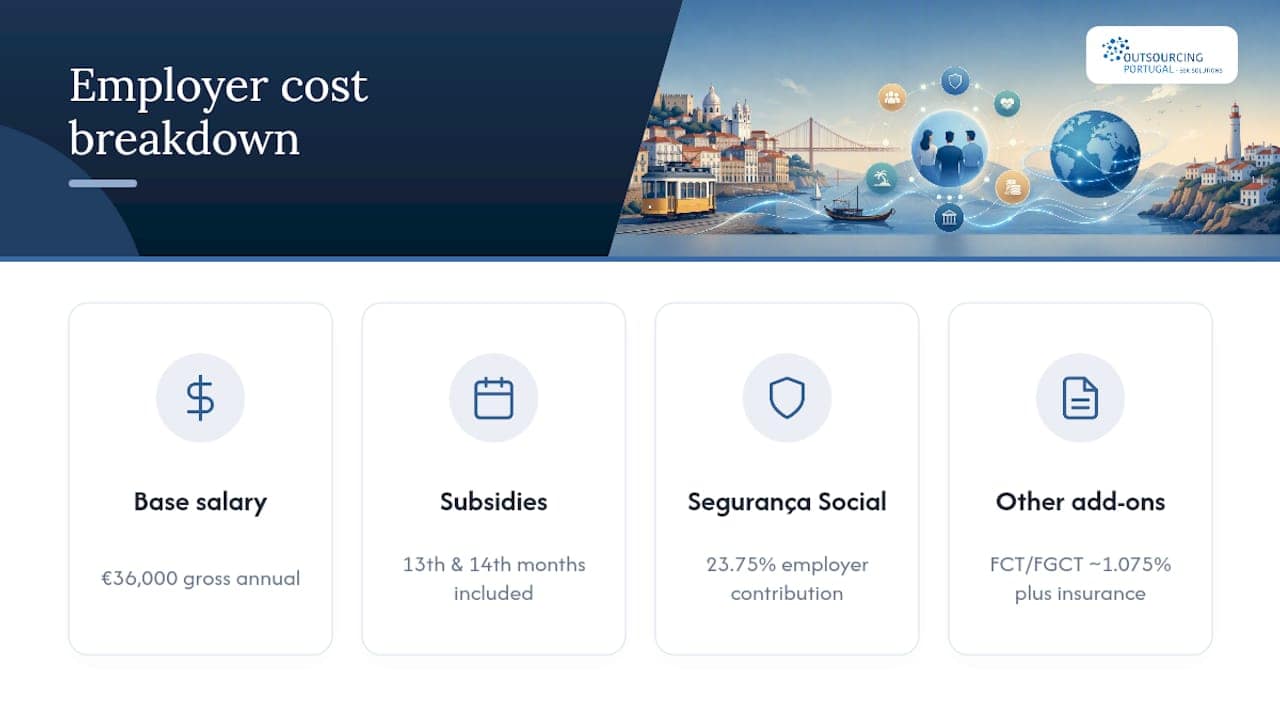
Portugal operates on a 14-month salary system. Every employee receives 12 monthly salaries plus a mandatory holiday bonus and a Christmas bonus, each equal to one month’s base pay. A candidate quoting a €1,500 monthly salary actually costs you €21,000 in base pay annually, not €18,000. Miss that, and your budget is off by 16% before you add employer social security contributions.

Regional disparity is the second adjustment. Lisbon and Porto pay 10%–25% more than the national average for equivalent roles, driven by the concentration of international firms and higher living costs. A budget built on national INE averages will underbid talent in both cities consistently.

Factor Adjustment needed
14-month payment structure Multiply monthly salary × 14 for true annual base cost
Lisbon/Porto location Add 10%–25% to national average for metro roles
Inflation (historical contracts) Use Pordata CPI tool to convert past figures to present value
Sector (tech vs. services) Apply sector-specific INE or industry guide data

Pro Tip: Run every salary figure through the employment cost calculator before presenting a budget to leadership. Employer social security contributions add roughly 23.75% on top of gross salary in Portugal.


Applying salary data when hiring Portuguese workers through outsourcing

Combining official and industry data is not just good practice — it is the approach that keeps you both compliant and competitive. INE data sets the legal floor; Randstad and Adecco data tells you where the market ceiling sits for a given role. Your offer should land somewhere between those two points, calibrated by the candidate’s specific skills and location.

For outsourcing contracts, salary benchmarks need to be written in with review clauses. Portugal’s minimum wage increases annually, and the broader market has moved upward consistently. A fixed-rate contract without a review mechanism will erode your talent quality over a two-to-three year engagement.

Best practices for applying salary data in outsourcing contracts and payroll:

  • Specify gross monthly salary and confirm the 14-payment structure in writing
  • Include an annual review clause tied to INE wage growth data or a named CPI index
  • Document the regional salary basis (national average vs. Lisbon/Porto) in the contract
  • Align payroll cycles with Portuguese statutory payment dates for holiday and Christmas bonuses

Pro Tip: An Employer of Record handles statutory payment timing, social security filings, and salary compliance automatically — removing the risk of miscalculation on the 14-payment structure.

Outsourcing-portugal builds salary benchmarking directly into its employment solutions, drawing on current INE data and market guides to help international clients set offers that attract qualified candidates without overpaying relative to the local market.


What you need to know about salary disclosure and privacy in Portugal

Portugal’s labor law, governed by the Portuguese Labor Code (Código do Trabalho), does not require employers to publicly disclose individual salary figures. However, the EU Pay Transparency Directive — which Portugal must transpose into national law — will require employers to provide salary range information in job postings and respond to employee requests for pay data by gender and job category. Companies hiring in Portugal now should build salary documentation practices that will satisfy these requirements when they take effect.

Under GDPR, salary data is personal data. Sharing an individual employee’s remuneration with third parties, including parent companies in the US, requires a lawful basis — typically a data processing agreement and, where applicable, standard contractual clauses for cross-border transfers. Outsourcing structures that route payroll through an Employer of Record already have these agreements in place, which simplifies compliance considerably.


INE’s quarterly releases are the most reliable leading indicator for wage growth direction. Pordata’s historical series lets you plot trend lines going back to the 1980s, which is useful for modeling multi-year outsourcing cost projections. Both are free and publicly accessible.

Randstad publishes an annual salary trends report specifically covering the Portuguese market, with forward-looking commentary on sectors experiencing wage pressure. The Bank of Portugal (Banco de Portugal) publishes economic bulletins that include wage growth forecasts tied to inflation and productivity data — useful for stress-testing budget assumptions over a three-to-five year horizon.

For companies building longer-term workforce strategies, the European Commission’s annual country reports on Portugal include labor market projections that align with EU-wide economic forecasting. These are particularly relevant for understanding how Portugal’s wage convergence toward the EU average is likely to progress.


Key Takeaways

Official Portuguese salary sources combined with industry guides give international employers the complete picture needed for compliant, competitive outsourcing in 2026.

Point Details
Start with INE and Pordata Official data covers 4.6 million workers and provides the legal compliance baseline for any salary offer.
Layer in Randstad and Adecco Industry guides reflect live market conditions and skill premiums that quarterly statistics miss.
Budget for 14 payments Annual base cost equals monthly salary × 14; ignoring this creates a 16% budget shortfall.
Apply regional adjustments Lisbon and Porto roles cost 10%–25% more than the national average; national data alone will underbid metro talent.
Use an EOR for payroll accuracy An Employer of Record automates statutory payment timing and social security filings, removing compliance risk.

Outsourcing-portugal

Outsourcing-portugal helps international companies move from raw salary data to compliant, competitive employment offers in Portugal — without setting up a local entity. From employment outsourcing services to full Employer of Record payroll management, the platform handles the complexity so your team can focus on hiring the right people. Get in touch to see how current salary benchmarks translate into a real hiring budget for your specific roles and regions.

HR manager reviewing termination documents in office

Terminating an Employee: 2026 Legal and HR Guide


TL;DR:

  • Proper employee termination requires thorough documentation, adherence to legal procedures, and clear communication.
  • Understanding federal and state laws helps prevent wrongful termination claims and ensures compliance during the exit process.

How to terminate an employee the right way

Done correctly, terminating an employee follows a clear sequence: document the performance or conduct issues, review the legal framework that applies, prepare the termination letter and logistics, conduct a brief and direct meeting, then handle the post-termination paperwork the same day. Skipping any step creates legal exposure and, just as often, a morale problem with the team you still have.

The process is formal by design. Courts and the Equal Employment Opportunity Commission (EEOC) look at whether the employer followed its own written policies consistently. That consistency, more than any single document, is what protects you.

The core steps at a glance:

  • Review the employment contract, company policy handbook, and any collective bargaining agreement
  • Confirm the termination reason is legal and documented
  • Consult HR and, when needed, legal counsel
  • Prepare the termination letter and final pay calculation
  • Schedule and conduct the termination meeting with a witness present
  • Revoke IT access and collect company property on the same day
  • Process the final paycheck according to your state’s deadline
  • Conduct an exit interview and communicate the change to the team

Pro Tip: Never make the termination decision and deliver it on the same day without a documented paper trail. The gap between “we decided” and “we can prove it” is where wrongful termination claims are born.


Table of Contents

What US law actually requires when you let someone go

At-will employment governs the relationship. Most states allow either party to end employment at any time for any legal reason. Montana is the one exception: after a probationary period, Montana employers must show just cause before terminating.

“Legal reason” is where most employers run into trouble. The at-will doctrine does not override federal anti-discrimination statutes or state equivalents. Terminating someone because of their race, sex, age (40 and over), national origin, disability, or genetic information is illegal under federal law. Retaliation against an employee who reported unsafe conditions or filed a discrimination complaint is equally prohibited, with OSHA whistleblower protections covering more than 20 federal statutes.

Prohibited termination grounds:

  • Race, color, religion, sex, or national origin (Title VII)
  • Age 40 and over (Age Discrimination in Employment Act)
  • Disability (Americans with Disabilities Act)
  • Genetic information (GINA)
  • Retaliation for protected activity (whistleblowing, EEOC complaints, workers’ comp claims)
  • Refusing to perform illegal acts

Key federal laws and protections:

Law What it covers Who enforces it
Title VII of the Civil Rights Act Race, sex, religion, national origin EEOC
Age Discrimination in Employment Act Workers 40 and over EEOC
Americans with Disabilities Act Physical and mental disabilities EEOC
GINA Genetic information EEOC
WARN Act Mass layoffs (100+ employees, 60-day notice) Department of Labor
OSHA Whistleblower Program Retaliation for safety reporting OSHA

At-will employment also does not apply to employees covered by a signed individual contract or a collective bargaining agreement. Union contracts typically require progressive discipline and just cause before any termination. Public-sector employees have additional due-process rights under constitutional law. Know which category your employee falls into before you schedule the meeting.


What you need to prepare before the meeting

Documentation is the foundation of a defensible termination. Performance reviews, written warnings, attendance records, and meeting notes all serve as evidence that the decision was consistent, fair, and grounded in documented fact rather than personal bias.

Infographic illustrating employee termination process steps

A performance improvement plan (PIP) is not legally required in most states, but it creates a paper trail showing the employee had notice and an opportunity to correct the problem. That trail matters enormously if the employee later claims the termination was pretextual.

Pre-termination checklist:

  • Pull the employee’s personnel file and review all prior warnings and reviews
  • Confirm the termination reason aligns with documented incidents
  • Check the employment contract and handbook for any required notice periods or procedures
  • Verify whether a collective bargaining agreement applies
  • Consult HR and legal counsel, especially for long-tenured employees or sensitive situations
  • Calculate the final paycheck, including accrued PTO if your state requires payout
  • Prepare the termination letter
  • Arrange for IT access revocation and property recovery logistics
  • Identify who will attend the meeting as a witness

Termination letter essentials:

  1. Employee’s full name and position
  2. Effective date of termination
  3. Reason for termination (brief, aligned with the personnel file)
  4. Final pay details and timing
  5. Benefits continuation information (COBRA deadlines, if applicable)
  6. Instructions for returning company property
  7. Any post-employment obligations (confidentiality, non-compete, if applicable)

A well-drafted termination letter avoids listing every grievance. Discrepancies between the letter and the personnel file are routinely exploited in wrongful termination litigation. Write the letter to match the documentation exactly, nothing more.

Pro Tip: Have legal counsel review the termination letter for any employee who has recently filed a complaint, taken protected leave, or belongs to a protected class. The cost of a 30-minute review is a fraction of the cost of defending a retaliation claim.

Sample termination letter language vs. language to avoid:

Use this Avoid this
“Your employment is terminated effective [date].” “We’ve decided to let you go.”
“This decision follows documented performance issues on [dates].” “You just aren’t a good fit.”
“Your final paycheck will be issued by [date] per state law.” Vague references to “final compensation.”
“Please return all company property by [date].” Omitting property return instructions entirely.

How to conduct the termination meeting

Schedule the meeting for early in the week, early in the day. Ending someone’s employment on a Friday afternoon leaves them without access to HR, benefits administrators, or support resources for two days. A Tuesday or Wednesday morning gives them time to act on next steps immediately.

Manager scheduling early-week termination meeting

Keep the meeting short. Termination meetings should be direct, respectful, and brief, using neutral phrasing such as “your employment has been terminated” rather than “you’re fired” or “we’re letting you go.” The goal is clarity, not softening a blow that cannot be softened.

Who should be in the room:

  1. The direct manager or HR lead delivering the news
  2. An HR representative or second manager as a witness
  3. The employee only (no peers, no subordinates)

Do’s and don’ts during the meeting:

  • Do deliver the decision in the first 30 seconds. Do not build up to it.
  • Do have the termination letter and any severance agreement ready to hand over.
  • Do allow the employee a moment to respond without interruption.
  • Don’t apologize repeatedly or over-explain the reasoning.
  • Don’t discuss detailed benefits terms or legal options during the meeting. Direct those questions to HR.
  • Don’t leave the employee alone in the office with access to systems after the conversation ends.

Sample opening script:

“[Name], I need to share some difficult news. After careful review, we have made the decision to terminate your employment, effective today. This decision is final. Here is your termination letter, which outlines the details including your final pay and next steps.”

Pause. Let them respond. Answer factual questions briefly. If the conversation becomes heated, stay calm and redirect: “I understand this is hard. HR will be available to answer your questions about benefits and next steps.”

Pro Tip: Have IT revoke system access at the exact moment the meeting begins, not after. An employee who still has email access after a termination meeting can forward sensitive files, delete records, or contact clients before you realize it.


Managing post-termination tasks and team communication

The hour after the meeting is when most administrative errors happen. Employers must handle final pay according to state law, inform benefits providers, recover company property, and revoke IT access promptly. Each of those tasks has a deadline, and missing one creates liability.

Post-termination task list:

  • Issue the final paycheck within your state’s required timeframe (varies by state; check your state labor department)
  • Send COBRA election notice within 14 days of the qualifying event
  • Collect all company property: laptop, badge, keys, credit cards, and any proprietary materials
  • Confirm IT has disabled email, VPN, cloud storage, and any third-party app access
  • Update payroll records and notify the benefits administrator
  • Retain the termination letter and all related documentation per federal retention requirements

The EEOC requires employers to retain personnel records for at least one year from the date of termination. The Fair Labor Standards Act (FLSA) requires payroll records to be kept for three years. Store these securely and separately from active employee files.

Exit interviews are worth doing even when the departure is involuntary. A brief, structured conversation with HR after the termination meeting can surface process gaps, policy concerns, or team dynamics issues that would otherwise stay hidden. Keep it voluntary and document the responses.

HR specialist conducting post-termination interview

When communicating the termination to the team, protect the privacy of the terminated employee while being clear about operational impact. A simple statement works: “[Name] is no longer with the company. We’re working on coverage for their responsibilities and will share updates shortly.” Do not explain the reason. Do not invite speculation by being vague to the point of confusion.


Management experts advise viewing termination as a formal business procedure rather than a personal judgment. That framing is not just philosophically tidy. It actively reduces the emotional volatility in the room and keeps the manager focused on facts rather than feelings.

“Discharge is the capital punishment of organizational life” is a metaphor that makes managers hesitate too long, document too little, and then act in ways that feel impulsive to everyone involved. Treating termination as a structured business process, with defined steps and consistent application, is what separates defensible decisions from costly ones.

Policy consistency is the single most effective defense against discrimination claims. If you terminated one employee for three unexcused absences, you must apply the same standard to every employee in a comparable role. Selective enforcement, even when unintentional, creates the appearance of discriminatory motive. HR should audit termination patterns periodically to catch inconsistencies before they become litigation.

Pro Tip: After any termination, brief your remaining team leads on what they can and cannot say if employees ask questions. Inconsistent messaging from multiple managers is one of the fastest ways to turn a clean termination into a morale crisis.


Severance pay and final paycheck guidelines

Federal law does not require severance pay. Whether you offer it, and how much, depends on your employment contracts, company policy, and any applicable collective bargaining agreement. Severance agreements often include a release of claims, which can protect the employer from future litigation. Employees 40 and over must be given at least 21 days to consider a severance agreement and 7 days to revoke it after signing, under the Older Workers Benefit Protection Act.

Final paycheck timing is governed entirely by state law, and the deadlines vary widely. Some states require payment on the last day of employment; others allow the next regular pay cycle. Check your state labor department for the exact requirement. Paying late, even by one day, can trigger penalties and, in some states, waiting-time penalties that accrue daily.

Accrued, unused vacation pay is also state-specific. California, for example, treats accrued vacation as earned wages that must be paid out at termination. Other states leave it to employer policy. Get this right before the meeting, not after.


How termination affects unemployment benefits eligibility

Employees terminated for reasons other than serious misconduct are generally eligible for unemployment benefits. The key distinction is between termination “without cause” (layoff, position elimination, performance issues that do not rise to gross misconduct) and termination “for cause” (theft, fraud, deliberate policy violations, or serious insubordination).

Eligibility rules are set by each state’s unemployment insurance program, and what counts as disqualifying misconduct varies. An employer can contest a former employee’s unemployment claim, but doing so without solid documentation often backfires. If your termination was well-documented and the reason was legitimate, contesting is straightforward. If the documentation is thin, contesting the claim may invite scrutiny of the termination itself.

Inform the terminated employee of their right to file for unemployment benefits. Withholding that information does not prevent them from filing, and it creates unnecessary friction.


A wrongful termination claim typically alleges that the employer violated a statute, a contract, or public policy. The most common triggers are discrimination, retaliation, and breach of an implied or written employment contract. Consistent documentation and policy application are your primary defenses.

When a claim is filed, preserve all records immediately. Do not delete emails, performance reviews, or meeting notes. Notify your employment practices liability insurer if you carry that coverage. Engage employment counsel before responding to any agency charge or demand letter.

The EEOC charge process typically begins with a charge filed within 180 or 300 days of the alleged discriminatory act, depending on the state. The agency will notify you and request a position statement. Your response should be factual, documented, and reviewed by counsel before submission.


What rights does an employee have during termination?

Employees retain several rights regardless of at-will status. They have the right to receive their final paycheck within the state-mandated timeframe, to elect COBRA continuation coverage within the required notice period, and to receive any vested retirement benefits per plan terms. Employees covered by a union contract have the right to union representation during investigatory interviews that could lead to discipline, known as Weingarten rights.

Employees also have the right to file an EEOC charge if they believe the termination was discriminatory, and to file for unemployment benefits with their state agency. They cannot be required to sign a severance agreement on the spot. Any release of claims must be voluntary and, for workers 40 and over, must comply with the Older Workers Benefit Protection Act review period.


Post-termination confidentiality and non-disparagement considerations

Confidentiality and non-disparagement clauses are typically included in severance agreements, not employment contracts, though some employment agreements do contain them. A confidentiality clause prevents the former employee from disclosing proprietary business information. A non-disparagement clause restricts both parties from making negative public statements about each other.

The National Labor Relations Board (NLRB) has scrutinized overly broad non-disparagement clauses in recent years, particularly those that could prevent employees from discussing wages or working conditions with coworkers. Draft these provisions narrowly and have counsel review them before including them in any agreement.

On the employer side, train managers to give only neutral references: confirm dates of employment and job title, nothing more. A negative or inaccurate reference can expose the company to a defamation claim, even when the underlying termination was fully justified.


Outsourcing-portugal offers a cleaner path for global HR compliance

Managing the employee termination process across multiple jurisdictions multiplies every risk covered in this guide. Final pay deadlines, severance rules, documentation standards, and notice requirements all change the moment you cross a border.

Outsourcing portugal

Outsourcing-portugal gives international companies a done-for-you employment infrastructure in Portugal, covering hiring, payroll, HR compliance, and offboarding under a single Employer of Record structure. You get full legal compliance without building a local entity or navigating Portuguese labor law from scratch. For companies expanding into Europe, that means one point of accountability for every employment decision, including separations. Check the best employment outsourcing services Outsourcing-portugal recommends for 2026, or contact the team directly to discuss your specific hiring and HR needs.


Key Takeaways

Legally compliant employee termination requires documented cause, consistent policy application, and state-specific final pay and benefits procedures executed on the day of separation.

Point Details
At-will employment has limits All states except Montana allow at-will termination, but discrimination and retaliation are always illegal grounds.
Documentation is your defense Performance reviews, written warnings, and meeting notes are what make a termination defensible in court or at the EEOC.
Final pay timing is state law Deadlines vary by state; missing them by even one day can trigger daily penalties.
Record retention is federally mandated EEOC requires one year; FLSA requires three years for payroll records.
Outsourcing-portugal handles global HR For companies employing staff in Portugal, Outsourcing-portugal manages compliant offboarding under an Employer of Record structure.
Hiring manager reviewing job requisition paperwork

Job Requisition: What Hiring Managers and Recruiters Must Include

A job requisition is an internal, authorized request to open or fill a position and secure the associated budget. Before any recruiter posts a role or screens a single resume, this document needs to exist, be complete, and carry the right approvals.

If you want hiring to move forward without delays, draft the requisition as the business case HR and finance can approve quickly. Right now, confirm three things: your cost center code is valid, the reporting line is defined, and the position hasn’t been frozen in your HRIS. Those three checks alone prevent the most common immediate rejections.

Who typically needs to sign:

  • Hiring manager (initiates and owns the business case)
  • Department head or VP (validates headcount against team plan)
  • Finance or budget owner (confirms funding and cost center)
  • HR business partner (checks compliance, classification, and compensation band)

Table of Contents

Why a job requisition matters beyond the paperwork

Most hiring managers treat a requisition as a form to fill out before the “real” work starts. That framing costs time and money. A requisition is actually a spending request. Finance sees it the same way they see a purchase order: it either has a funded position behind it or it doesn’t.

A well-built requisition does three things simultaneously. It creates an auditable paper trail that supports legal and financial accountability. It prevents hiring without approved funding. And it forces the hiring manager to articulate why this role matters now, which is exactly what workforce planning requires.

The correct frame: A requisition asks permission to spend. It must link the role to measurable business goals — not just describe what the person will do, but explain what happens to revenue, capacity, or compliance if the role stays empty.

From a compliance standpoint, requisitions also anchor your Equal Employment Opportunity (EEO) recordkeeping. Every step from job posting to final selection should trace back to the approved requisition. Without it, you have no documented basis for the hiring criteria you applied, which creates real exposure in an audit or a discrimination claim.

What a requisition prevents:

  • Reactive hiring driven by urgency rather than workforce strategy
  • Duplicate headcount requests across departments
  • Salary offers that fall outside approved compensation bands
  • Hires that don’t map to an approved budget line

Consider the difference between two scenarios: a department head who submits a requisition with a clear business justification (“our support ticket volume has grown 40% and current staff are at 115% capacity”) gets finance sign-off in two days. A manager who submits “need another analyst” gets sent back for revision. The content of the justification is the difference.


Infographic illustrating job requisition process steps

What every job requisition needs to include

Standardized requisition templates correlate with faster time-to-fill because stakeholders spend less time interpreting nonstandard requests. Below is the complete field checklist. Fields marked with an asterisk commonly auto-populate from a job profile in HRIS systems like Workday — but always verify them manually before submission.

  • Job title*: Use the official classification title, not an internal nickname. Mismatches between the title here and the approved position profile trigger returns.
  • Department and cost center code: The budget code must match an active, funded line. If it doesn’t, finance will reject immediately.
  • Hiring manager: Name and employee ID. This person owns the requisition and is the primary approver contact.
  • Reason for hire: New headcount, backfill (with departing employee’s name and last day), or restructure. Each reason triggers a different approval path.
  • Employment type: Full-time, part-time, contract, or temporary. This field drives benefits eligibility and payroll classification downstream.
  • Number of openings: How many positions this single requisition covers.
  • Job profile / job description: Attach the approved job description template or link to the position profile in your HRIS. Required qualifications, preferred qualifications, and essential functions must be explicit.
  • Proposed salary or compensation band: State the full range, not just the midpoint. Finance needs the ceiling to model total annual cost including benefits load.
  • Expected start date: Realistic, not aspirational. Build in time for approvals, posting, screening, and notice periods.
  • Remote/onsite/hybrid status: Affects location-based pay adjustments and compliance requirements.
  • Reporting line: Direct manager’s name and title. Must match the org chart in your HRIS.
  • Required clearances or visas: Flag any security clearance, professional license, or work authorization requirement upfront. These extend time-to-fill significantly.
  • Interview process: Number of rounds, panel composition, and any required assessments. Setting this in the requisition keeps the process consistent and defensible.
  • Recruiting instruction: Internal-only posting, external posting, or both. This determines where and how long the role is advertised.
  • Target time-to-fill / SLA: The date by which the role needs to be filled. Helps recruiters prioritize and gives finance a timeline for budget impact.

Pro Tip: Write the business justification around consequences, not activities. “This role will manage our CRM migration” is weak. “Without this hire, the CRM migration stalls in Q3, delaying $2M in projected revenue recognition” gets approved. Finance responds to risk and impact, not job duties.

Note: worker sub-type, job profile, and location fields often auto-populate in Workday from the position data, but auto-populated values are frequently stale. Verify each one manually, especially after a reorg.

Man writing business justification notes


How to create a job requisition step by step

The Workday tip sheet from UPenn’s Provost office notes that the creation process takes about a quarter of an hour if the prework is done. That prework is where most delays actually originate.

Prework checklist (complete before opening the requisition)

  • Confirm the position exists and is unfrozen in your HRIS. Some organizations require positions to be explicitly validated before a requisition can be submitted — attempting to open one for a frozen position is a frequent cause of immediate rejection.
  • Verify the headcount is in the approved plan for this fiscal period.
  • Confirm the cost center has available budget.
  • Identify the correct job profile in your HRIS (not just the job title).
  • Pull current market salary data for the role and location (use Bureau of Labor Statistics Occupational Employment data, your compensation team’s survey data, or a benchmarking tool).
  • Identify your recruiter and confirm their availability.

Step-by-step creation

  1. Open a new requisition in your HRIS (Workday, Greenhouse, Lever, or your ATS). Select the correct position from the position management module, not a free-text entry.
  2. Select the reason for hire (new position, backfill, or restructure). This routes the requisition to the correct approval chain.
  3. Complete all required fields from the checklist above. Do not leave optional fields blank if the information is available — incomplete optional fields slow reviewer decisions.
  4. Attach the job description template. If your organization uses a standard template, use it. Custom descriptions that don’t match the approved job profile create classification problems.
  5. Set the target hire date and posting dates. Work backward from the start date: subtract notice period, interview rounds, offer negotiation, and background check time.
  6. Assign the recruiter and confirm the recruiting instruction (internal, external, or both).
  7. Write the business justification. One paragraph, impact-focused. See the template section below for a filled example.
  8. Run the pre-submission checklist (see table below) before hitting submit.
Pre-submission check What to verify
Cost center code Active and funded for this fiscal year
Worker sub-type Matches employment type (regular, temporary, contract)
Job profile Correct classification, not a legacy or archived profile
Reporting line Matches current org chart in HRIS
Salary band Within the approved compensation range for this level
Start date Realistic given approval and recruiting timelines
Attachments Job description and any required supporting documents attached

The U.S. Office of Personnel Management’s hiring roadmap recommends creating a “hiring contract” between the manager and HR that outlines responsibilities and timeframes for each stage. Even a simple email confirmation of who owns what step prevents the most common handoff failures.

Hands typing job requisition checklist


Who approves a requisition and how long it takes

The approval workflow is often the longest part of pre-recruitment. Multi-step approval routing typically includes HR validation, then finance or CFO review for funded positions, then a final executive sign-off. Some organizations aim to complete each approval step within a few working days.

What each approver looks for:

  • Hiring manager: Owns the business case. Should be the one who wrote the justification.
  • Department head: Confirms the role fits the team’s approved headcount plan and org structure.
  • Finance / budget owner: Checks cost center validity, total annual cost (salary + benefits load + any signing bonus), and whether the position was in the approved budget.
  • HR business partner: Validates job classification, compensation band, EEO compliance, and whether the role requires any special approvals (e.g., executive-level hires).
  • Executive sponsor: Required for senior roles, new headcount (as opposed to backfills), or roles above a certain salary threshold.
Approval stage Typical timeline Common bottleneck
Hiring manager submits Day 1 Incomplete fields or missing justification
HR validation Days 1–2 Misclassified job profile or wrong compensation band
Finance review Days 2–4 Cost center mismatch or budget not confirmed
Executive sign-off Days 4–6 Scheduling or threshold not met for escalation
Requisition approved Days 5–7 Any return for revision resets the clock

How to present budget fields to finance: State the total annual cost, not just base salary. Include the benefits load (typically a significant portion of base salary in the U.S.), any expected signing bonus, and equipment or software costs for the role. Finance models headcount cost fully loaded. If you only give them a salary number, they’ll send it back.


How a job requisition differs from a job posting and other documents

These documents are related but serve completely different purposes. Mixing them up routes paperwork to the wrong process and delays hiring.

  • Job requisition vs. job posting: The requisition is an internal business case for approval and budget. The posting is an external-facing marketing tool created after the requisition is approved. You cannot post a role externally without an approved requisition behind it.
  • Job requisition vs. job order: A job order is what you send to a staffing agency when you want them to source candidates. It’s derived from the requisition but formatted for the agency’s use. The requisition stays internal.
  • Job requisition vs. additional employment request: Municipal and federal forms like the Additional Employment Request are separate processes for existing employees taking on additional duties. They are not substitutes for a requisition and should not be used in place of one.
  • Internal vs. external requisitions: An internal requisition restricts the search to current employees (transfers, promotions). An external requisition opens the role to outside candidates. Some organizations run both simultaneously; others require internal posting first for a defined period before going external.

When handling an internal transfer, the receiving department typically initiates a new requisition even if no external posting will occur. This preserves the budget approval and headcount tracking, and it creates the paper trail needed for EEO recordkeeping.


Common mistakes that delay approvals and how to fix them

Mistake Fix
Missing or invalid cost center code Confirm the code with finance before opening the requisition
Vague business justification (“need more help”) Write the consequence of not hiring: revenue, capacity, or compliance impact
Wrong worker sub-type Match sub-type to employment type; verify in HRIS before submission
Salary outside the approved band Pull the current compensation band from HR before entering a number
Incomplete reporting line Enter the direct manager’s name and title as they appear in the org chart
Stale auto-populated fields Manually verify job profile, location, and worker type after HRIS auto-fill
No recruiter assigned Assign a named recruiter before submission; unassigned requisitions stall

Pro Tip: Before submitting, have a 15-minute conversation with your finance contact and HR business partner. Confirm the cost center, salary band, and headcount approval verbally. Requisitions that arrive with pre-alignment get approved faster because reviewers aren’t discovering problems for the first time.

Standardized templates reduce approval time because finance and HR can review consistent fields faster. If your organization doesn’t have a standard template, build one and get it adopted. The time investment pays back on the first requisition that doesn’t get returned for revision.


How requisition errors cascade into payroll, benefits, and onboarding

A misconfigured requisition doesn’t just slow down hiring. It creates problems that follow the new employee from their first paycheck onward. Incorrect requisition fields — wrong worker sub-type, misconfigured job profile, or incorrect pay basis — cause downstream payroll, benefits, and system-access errors that are expensive to unwind.

The cascade risk: A single misconfigured HRIS field can ripple into multiple operational problems — wrong benefits enrollment, incorrect tax withholding, delayed system access, and misclassified payroll records. Fixing these after the employee starts costs far more time than verifying the fields before submission.

QA checklist for HR and IT before a requisition is submitted:

  • Worker sub-type matches the intended employment classification (regular full-time, part-time, temporary)
  • Pay basis (hourly vs. salaried) is correct for the role
  • Cost center matches the department’s active budget line
  • Job profile links to the correct position in the HRIS position management module
  • Location field reflects where the employee will actually work (affects tax and benefits)
  • Benefits eligibility group is set correctly for the employment type

For teams managing global payroll or multi-jurisdiction hires, the stakes are higher. A location field error on an international requisition can trigger the wrong statutory benefits package or misclassify the employment relationship entirely. The workforce compliance workflow for cross-border hires adds additional validation steps that should be built into the requisition review process.

Prevention steps:

  • Audit requisition entries against the approved position profile before submission
  • Use standardized templates that constrain field options (dropdowns instead of free text where possible)
  • Run a test requisition end-to-end in a sandbox HRIS environment when implementing a new template
  • Assign one HR team member to review HRIS field accuracy on every requisition before it enters the approval queue

A ready-to-use job requisition template and filled example

Blank template

Field Instructions
Job title Official classification title from your HRIS position management module
Department Full department name as it appears in your org chart
Cost center code Active budget code confirmed with finance
Hiring manager Full name and employee ID
Reason for hire New headcount / Backfill (include departing employee name) / Restructure
Number of openings Integer; one requisition per distinct role
Employment type Full-time / Part-time / Contract / Temporary
Compensation band Full range (minimum to maximum); include benefits load for finance
Expected start date Realistic date accounting for approvals, posting, and notice period
Remote/onsite/hybrid Specify; note any location-based pay adjustment
Reporting line Direct manager name and title
Required clearances List any license, certification, or security clearance required
Interview process Number of rounds, panel members, and any required assessments
Recruiting instruction Internal only / External / Both
Business justification One paragraph: why now, what happens if unfilled, measurable impact
Target time-to-fill Date by which the role must be filled

Filled example

Field Example entry
Job title Senior Customer Success Manager
Department Customer Experience
Hiring manager Jordan Lee, Employee ID —
Reason for hire Backfill — Maria Santos, last day June —
Number of openings 1
Employment type Full-time
Expected start date August —, 2026
Remote/onsite/hybrid Hybrid (2 days onsite, Austin TX)
Reporting line VP Customer Experience, Alex Rivera
Required clearances None
Interview process 3 rounds: recruiter screen, hiring manager interview, panel with 2 team leads
Recruiting instruction External posting on LinkedIn and company careers page
Business justification Maria Santos’s departure leaves a portfolio of 42 enterprise accounts without a dedicated CSM. Without a replacement by mid-August, renewal risk on $1.8M ARR increases significantly, and the remaining team absorbs an unsustainable workload. This backfill is funded in the approved FY2026 headcount plan under —.
Target time-to-fill August 15, 2026

Notes on adapting this template:

  • For internal-only postings, remove the external job board field and add the internal posting period required by your policy.
  • In Workday, paste the business justification into the “Justification” free-text field; attach the job description as a supporting document.
  • For job screening strategies that flow from the requisition, ensure the required qualifications in the job description match exactly what your ATS will use to filter applications.
  • When hiring for talent sourcing roles or building out a recruiting function, the recruiter job description fields in the requisition should reflect the sourcing channels and markets the recruiter will own.

Key Takeaways

A job requisition is a spending request first and an HR form second — treat it that way and approvals move faster.

Point Details
Treat requisitions as budget requests Finance approves headcount the same way they approve purchases; link every role to a funded cost center and a business impact.
Validate HRIS fields before submission Auto-populated fields in Workday and similar systems are frequently stale; manually verify worker sub-type, job profile, and location on every requisition.
Write justification around consequences State what happens if the role stays empty — revenue at risk, capacity gaps, compliance exposure — not just what the person will do.
Standardize the template Consistent field formats let finance and HR review faster; one standard template across the organization reduces back-and-forth significantly.
Outsourcing-portugal for international hires When an approved requisition leads to hiring in Portugal or another EU market, Outsourcing-portugal provides EOR and payroll services that handle compliance without requiring a local entity.

Why HR teams should own the requisition process, not just administer it

The conventional wisdom is that hiring managers own requisitions and HR just processes them. That split is where most delays come from.

HR teams that treat requisition management as a passive intake function end up chasing approvals, correcting fields, and explaining rejections after the fact. The teams that move fastest are the ones where an HR business partner is involved before the requisition is even opened — confirming the job profile, the compensation band, and the cost center in a short conversation that takes less time than a single revision cycle.

The most underrated process improvement available to most HR teams is a 15-minute pre-submission alignment call with the hiring manager and finance contact. Not a formal meeting. Just a quick confirmation that the three critical fields (cost center, salary band, headcount approval) are correct before the requisition enters the queue. That one habit eliminates the majority of returns for revision.

Requisition aging is a metric worth tracking. If your average time from submission to approval is running longer than five to seven business days, the bottleneck is almost always one of two things: incomplete justifications or mismatched HRIS fields. Both are preventable with the right template and a brief pre-submission check.

The recruiter role in this process matters too. A recruiter who reviews the requisition before it’s submitted — not after approval — catches field errors and unrealistic timelines while there’s still time to fix them without resetting the approval clock.


Useful sources and further reading

These are the primary references behind this guide. Each one is worth bookmarking for HRIS-specific steps, policy templates, and compliance checks.

  • U.S. OPM End-to-End Hiring Roadmap: The federal hiring roadmap covers discrete milestones from requisition creation through selection. Particularly useful for the “hiring contract” concept and SLA-setting between managers and HR.
  • UPenn Provost Workday Tip Sheet: Step-by-step Workday field guidance with notes on auto-populate pitfalls and the 15-minute completion benchmark. Use this for HRIS implementation and training.
  • Gusto: What Is a Job Requisition?: Clear overview of requisition components and the business-justification framing. Good for onboarding hiring managers who are new to the process.
  • Indeed: 10 Common Components of a Job Requisition: Covers the requisition-vs-posting distinction and field definitions. Useful as a quick reference for recruiters.
  • HRCloud: What Is Job Requisition?: Focuses on the audit trail and compliance rationale. Relevant for teams building or updating their requisition policy.
  • North Carolina OSHR Recruitment and Posting Policy: State-level policy covering vacancy announcement requirements, internal vs. external posting rules, and exceptions. A practical reference for public-sector HR teams and a useful benchmark for private-sector policy design.
  • University of Virginia Recruitment and Hiring Procedures Guide: Detailed procedural guide covering position descriptions, ATS integration, EEO requirements, and interview process documentation. Particularly strong on the connection between the requisition and downstream selection criteria.
  • Payroll services reference for global teams: For teams managing requisitions that lead to international hires, this resource covers payroll service considerations in emerging markets.

Hiring in Portugal? Outsourcing-portugal handles the compliance so you don’t have to

When your approved requisition points to a hire outside the U.S. — particularly in Portugal or the broader EU — the compliance layer gets significantly more complex. Setting up a local legal entity takes months and carries ongoing administrative cost. That’s the gap Outsourcing-portugal fills.

Outsourcing-portugal

Outsourcing-portugal provides Employer of Record and payroll services in Portugal for international companies that need to hire quickly and compliantly without establishing a local entity. You handle the requisition and the hiring decision; Outsourcing-portugal handles employment contracts, statutory benefits, payroll processing, and legal compliance under Portuguese labor law. The model is built for companies that have already done the internal work — approved the headcount, written the justification, selected the candidate — and need a compliant path to get that person on payroll fast.

If your requisition is for a remote or hybrid role that could be based in Portugal, the 2026 hiring guide for HR managers is the right next step. For teams building out remote hiring processes more broadly, the remote hiring checklist covers the operational steps from requisition approval through onboarding. Reach out to Outsourcing-portugal directly to confirm whether your role and timeline fit their EOR model.

IT manager reviewing job roles documents

IT Job Description: Roles, Requirements, and 2026 Guide

An IT job is a professional role focused on managing, supporting, and securing an organization’s technology systems, including hardware, software, networks, and data. According to the U.S. Bureau of Labor Statistics, computer and information technology occupations span a wide spectrum, from entry-level support technicians to senior systems architects and research scientists. What ties them together is a shared responsibility: keeping technology working so that the rest of the organization can function.

A well-written IT job description does more than list duties. It signals to the right candidates what the role actually demands, what skills matter most, and what the work environment looks like day to day. Here is what every IT role typically involves:

  • Managing and maintaining hardware, software, and network systems
  • Troubleshooting technical issues and resolving user-reported problems
  • Implementing and monitoring security protocols to protect organizational data
  • Designing, configuring, or improving computer-based systems and applications
  • Providing technical support to employees or external clients
  • Documenting procedures, policies, and system changes for internal reference
  • Collaborating with other departments to identify and meet technology needs

What are the most common IT job roles and their responsibilities?

IT covers a broader range of positions than most people outside the field realize. A help desk technician and a software engineer both work in IT, but their daily tasks, required expertise, and career trajectories look almost nothing alike. Understanding those distinctions is the first step to writing a technology job description that actually attracts the right person.

1. IT support specialist

The IT support specialist is often the first point of contact when something breaks. Their primary focus is keeping employees productive by resolving hardware and software issues quickly. Day-to-day duties include logging service requests, updating ticket status, answering questions about computer systems, and generating login credentials for new hires during onboarding.

Junior support specialists typically handle Tier 1 requests: password resets, software installations, and basic connectivity issues. Mid-level specialists take on more complex diagnostics, while senior specialists often manage ticketing systems, mentor junior staff, and identify recurring problems that point to deeper infrastructure issues.

2. IT specialist

The IT specialist role sits a step above pure support. IT specialists install and configure hardware and software, manage user accounts and permissions, monitor network performance, and implement security protocols. They also coordinate with vendors for equipment purchases and warranties, and they run training sessions on tools and security practices for other staff.

IT specialist configuring network hardware

A mid-level IT specialist typically brings 2–5 years of hands-on experience across system administration, network management, and technical support. Senior IT specialists move into infrastructure planning, aligning technology decisions with organizational goals and communicating updates to non-technical stakeholders.

Infographic outlining top IT roles hierarchy

3. Network administrator

Network administrators design, implement, and maintain an organization’s communication infrastructure, including local area networks (LANs), wide area networks (WANs), and cloud-based networks. They test network systems, monitor traffic for anomalies, and respond to connectivity failures. The BLS reports a 2024 median pay of $96,800 for network and computer systems administrators, reflecting the specialized knowledge the role demands.

At the senior level, network administrators take on architecture decisions, evaluate new networking technologies, and often manage a small team of junior administrators.

4. Software developer

Software developers design, build, and test the applications and programs that organizations rely on. The BLS reports that software developers earn a median pay indicative of one of the higher-paying IT career profiles. Junior developers focus on writing and testing code under supervision. Mid-level developers own features independently. Senior developers lead architecture decisions, review code from others, and translate business requirements into technical specifications.

5. Information security analyst

Information security analysts plan and execute measures to protect an organization’s networks and systems from threats. Their responsibilities include monitoring for breaches, running vulnerability assessments, and developing incident response plans. The BLS median pay for this role sits at $124,910, and demand is growing fast as cybersecurity threats multiply.

6. Systems analyst

Systems analysts study how an organization uses technology and then design improvements. They bridge the gap between IT teams and business units, translating operational needs into technical requirements. The BLS reports that computer systems analysts earn a median pay consistent with their specialized role. Senior analysts often lead digital transformation projects and present recommendations directly to leadership.

7. Database administrator

Database administrators create, organize, and secure the systems that store an organization’s data. They protect data from unauthorized access, perform backups, and optimize query performance. The BLS median pay for database administrators and architects is $123,100. Organizations with large data environments, such as financial firms and healthcare systems, rely heavily on this role.

8. Web developer

Web developers build and maintain websites, handling everything from front-end layout and navigation to back-end functionality. The BLS reports that web developers and digital designers earn a median pay reflecting their role in website development. Entry-level developers typically work in HTML, CSS, and JavaScript. Senior developers architect full-stack solutions and often manage deployment pipelines and site performance.

9. Cloud computing engineer

Cloud engineers define, design, build, and maintain systems running on platforms like Amazon Web Services (AWS) and Microsoft Azure. As organizations shift infrastructure off physical servers, demand for cloud expertise has grown sharply. This role often requires familiarity with containerization tools, infrastructure-as-code practices, and cloud security frameworks.

10. IT leadership and management

Senior IT leadership draws on both deep technical backgrounds and strong management skills. IT directors and CIOs create and implement policies, manage budgets, and align technology strategy with business objectives. These roles require stakeholder communication, vendor negotiation, and the ability to translate complex technical decisions into language that executives and board members can act on.


What skills, qualifications, and certifications do IT jobs require?

The skills that matter most in an IT role depend on the specific position, but a consistent set of technical and interpersonal competencies appears across nearly every technology job description.

Technical skills

  • System administration: Managing operating systems (Windows, Linux, macOS), user accounts, and access controls
  • Network troubleshooting: Diagnosing connectivity issues, configuring routers and firewalls, and monitoring network traffic
  • Security protocols: Applying IT security best practices, managing vulnerabilities, and responding to incidents
  • Hardware and software maintenance: Installing, updating, and repairing physical and digital components
  • Cloud platforms: Working with AWS, Microsoft Azure, or Google Cloud for infrastructure and application hosting
  • Scripting and coding: Basic scripting in Python or PowerShell for automation; full programming proficiency for developer roles

Soft skills

Communication and empathy are often the deciding factor between two technically equal candidates, especially in support roles. The ability to explain a complex system failure to a non-technical manager without condescension is a skill that takes real practice. Other soft skills that appear consistently across IT position requirements include:

  • Problem-solving and critical thinking
  • Time management and the ability to prioritize competing requests
  • Customer service orientation, particularly for client-facing or help desk roles
  • Organization and attention to detail when managing multiple projects simultaneously

Education requirements

Most IT roles require at least an associate or bachelor’s degree in information technology, computer science, or computer engineering. Some employers, particularly for developer and analyst roles, prioritize portfolio quality and demonstrated experience over formal credentials. For IT support and specialist positions, relevant certifications often carry as much weight as a degree.

Certifications

Industry certifications provide standardized proof of competency and are especially valuable for candidates without four-year degrees. Commonly required or preferred certifications across IT roles include:

  • CompTIA A+: Entry-level certification covering hardware, software, and troubleshooting fundamentals
  • CompTIA Network+: Validates networking knowledge including protocols, infrastructure, and security
  • CompTIA Security+: Covers core cybersecurity concepts and is often required for security-focused roles
  • Cisco CCNA: Demonstrates networking proficiency and is widely recognized for network administrator positions
  • Microsoft certifications (MCITP, Azure): Relevant for roles involving Microsoft environments or cloud infrastructure
  • ITIL Foundation: Covers IT service management frameworks, valued in enterprise environments

Certifications like CompTIA A+ and Cisco CCNA regularly help candidates compete for roles where they lack a traditional four-year degree. Hiring managers in IT tend to treat a current, relevant certification as evidence of both competency and commitment to staying current.

Pro Tip: When writing an IT job description, list certifications in two tiers: “required” and “preferred.” Requiring CompTIA A+ for a senior network architect role will screen out strong candidates; listing it as preferred keeps the pool open.


What does the IT job market look like in 2026?

The U.S. IT job market remains one of the most active in the country. The BLS projects strong growth across computer and information technology occupations, driven by continued digital transformation, expanding cloud adoption, and rising demand for cybersecurity expertise. Organizations across every sector, from healthcare to finance to manufacturing, are building or expanding their IT teams.

Cybersecurity analyst working in monitoring room

Median salaries for key IT roles (2024 BLS data)

IT Role 2024 Median Annual Pay Typical Entry-Level Education
Software Developers, QA Analysts & Testers $124,910 Bachelor’s degree
Computer Network Architects $123,100 Bachelor’s degree
Information Security Analysts $124,910 Bachelor’s degree
Database Administrators and Architects $123,100 Bachelor’s degree
Computer and Information Research Scientists Master’s degree
Computer Systems Analysts $96,800 Bachelor’s degree
Network and Computer Systems Administrators $96,800 Bachelor’s degree
Computer Programmers Bachelor’s degree
Web Developers and Digital Designers Bachelor’s degree
Computer Support Specialists Varies

Salary note: IT support roles show the widest pay range across experience levels. According to Indeed, IT support salaries average $44,389 per year, with hourly rates typically ranging from $7–$56 depending on geography, certifications, and experience.

Entry-level positions in support and administration typically sit at the lower end of each role’s range, while senior professionals with specialized certifications or management responsibilities command salaries well above the median. Geographic location also plays a significant role: IT professionals in San Francisco, New York, and Seattle consistently earn more than the national median, while those in smaller markets may earn less.

The cybersecurity segment deserves particular attention. As data breaches grow in frequency and severity, organizations are prioritizing information security analyst hires. This pressure on the talent supply keeps salaries for security-focused roles elevated and makes security expertise one of the most valuable differentiators on any IT resume or job posting.


How to write an effective IT job description

A poorly written job description costs real money. It generates a flood of unqualified applications, buries the role in generic language, and signals to strong candidates that the organization does not know what it actually needs. Clear, bulleted responsibilities and realistic role expectations consistently produce higher-quality applicants.

Structure your description in five sections

  1. Role summary: Two to four sentences describing the position’s core purpose, who the hire will report to, and the team context. Avoid vague phrases like “dynamic environment” or “fast-paced team.”
  2. Key responsibilities: A bulleted list of 8–12 specific duties. Start each bullet with an action verb (install, configure, monitor, troubleshoot). Be specific enough that a candidate can picture a Tuesday afternoon in the role.
  3. Required skills and qualifications: Separate the non-negotiables from the nice-to-haves. List the operating systems, tools, and technologies the person will use on day one.
  4. Certifications and education: State the minimum education level and list required certifications explicitly. If a certification is preferred but not required, say so.
  5. Legal and compliance statements: Include an Equal Employment Opportunity (EEO) statement. Under U.S. federal law, job postings must not discriminate based on race, color, religion, sex, national origin, age, disability, or genetic information. Many organizations also add ADA accommodation language and, where applicable, statements about background check requirements.

Differentiate by experience level

The gap between a junior and senior IT role is not just years of experience. Entry-level roles focus on execution: installing systems, resolving tickets, and following documented procedures. Senior roles require strategic thinking, stakeholder communication, and the ability to align technology decisions with business goals. Your job description should reflect that difference explicitly, not just in the title.

For a junior IT support role, the qualifications section might require a CompTIA A+ certification and one year of experience. For a senior network administrator, you would specify CCNA or equivalent, five or more years of hands-on network management, and experience presenting infrastructure recommendations to leadership.

Specify the work environment clearly

Physical presence requirements belong in the job description, not in the first interview. Many IT roles require on-site access to hardware, server rooms, or physical infrastructure that cannot be managed remotely. Others are fully remote. Candidates who apply without knowing this detail waste everyone’s time. State it plainly in the role summary or in a dedicated “Work Environment” line.

Pro Tip: If the role requires occasional on-site work even when primarily remote, say “primarily remote with monthly on-site visits” rather than just “remote.” Ambiguity here is one of the top reasons candidates withdraw after an offer.

IT specialist job description sample


Job Title: IT Specialist

Reports to: IT Manager

Location: [City, State] / Hybrid

Role Summary: We are looking for an IT Specialist to maintain, configure, and support our organization’s hardware, software, and network systems. You will serve as a primary point of contact for technical issues and work closely with department heads to identify and implement technology solutions.

Key Responsibilities:

  • Install, configure, and maintain hardware, software, and network systems
  • Troubleshoot IT issues and resolve system outages for end users
  • Manage user accounts, permissions, and access controls
  • Monitor network performance and respond to connectivity issues
  • Implement and maintain IT security protocols and data protection measures
  • Coordinate with vendors for equipment purchases and support contracts
  • Document IT policies, procedures, and troubleshooting guides
  • Conduct training sessions on tools and security practices for staff

Required Qualifications:

  • Bachelor’s degree in Information Technology, Computer Science, or a related field, or equivalent experience
  • 2–5 years of experience in IT support, system administration, or a related role
  • Proficiency in Windows, Linux, and macOS operating systems
  • Knowledge of network protocols, firewalls, and security best practices
  • CompTIA A+ or Network+ certification (or equivalent)

Preferred Qualifications:

  • Cisco CCNA or Microsoft Azure certification
  • Experience with cloud platforms (AWS, Azure, or Google Cloud)
  • Familiarity with ITIL service management frameworks

Equal Opportunity Statement: [Company Name] is an equal opportunity employer. We do not discriminate on the basis of race, color, religion, sex, national origin, age, disability, or any other characteristic protected by applicable federal, state, or local law.


For organizations building or expanding IT teams internationally, particularly in European markets, IT recruitment in Portugal follows many of the same structural principles but requires attention to local labor law, contract requirements, and EU compliance standards. Getting the job description right from the start makes that process considerably smoother.

For IT roles that involve documentation, localization, or client-facing content across multiple languages, working with a specialist like Glocco’s IT translation services can prevent costly miscommunication in multinational hiring processes.


Key Takeaways

An IT job description that specifies exact duties, required certifications, experience level, and work environment consistently attracts better candidates than one built on generic language.

Point Details
Salary range varies widely by role BLS 2024 median pay spans from — for support specialists to — for research scientists.
Certifications substitute for degrees CompTIA A+ and Cisco CCNA help candidates without four-year degrees compete for IT roles.
Senior roles require strategic skills Entry-level IT focuses on execution; senior positions demand stakeholder communication and business alignment.
Work environment must be explicit State on-site, hybrid, or remote requirements clearly to avoid mismatched applicants.
EEO language is legally required U.S. job descriptions must include equal opportunity statements to comply with federal anti-discrimination law.

Hiring IT talent across borders? Outsourcing-portugal can help

https://outsourcing-portugal.co.uk

If your organization is building an IT team outside the U.S., getting the job description right is only the first step. Compliance with local employment law, payroll management, and onboarding logistics add layers of complexity that slow down hiring and create legal exposure. Outsourcing-portugal specializes in exactly this: helping international companies hire, onboard, and manage IT professionals in Portugal without setting up a local entity.

Portugal offers a highly educated, English-proficient tech workforce at competitive labor costs, making it one of the most practical nearshore options for U.S. and European companies scaling their IT operations. Outsourcing-portugal handles the Employer of Record (EOR) structure, payroll, and legal compliance so your team can focus on finding the right people.

Explore employment outsourcing services or learn more about EOR solutions in Portugal to see how the process works.

Woman browsing remote job listings at home

How to Find Remote Work in 2026: Top Platforms and Strategies

The fastest path to remote work in 2026 runs through specialized job boards combined with a disciplined, targeted search strategy. Generic boards like Indeed and LinkedIn mix remote and on-site listings, which wastes time. Dedicated platforms cut through that noise. Here are the key platforms and moves that actually work:

  • FlexJobs — paid, hand-screened listings across dozens of industries; zero scams
  • We Work Remotely — one of the largest boards, strongest in tech, design, and marketing
  • Remote.co — curated fully remote roles with visible company remote culture policies
  • Remotive.io — tech and product roles plus an active Slack community for networking
  • Jobspresso — handpicked jobs in tech, marketing, customer support, and design
  • Wellfound — startup and pre-IPO remote roles, often with equity compensation
  • Arc — developer-focused with coding challenges and global reach
  • Contra — freelance and contract marketplace built around independent professionals
  • JustRemote — global listings with strong filters for part-time and fully remote roles
  • The Mom Project — family-friendly remote roles for parents balancing career and home
  • Remote OK — real-time developer and tech feed with salary transparency
  • NoDesk — curated listings plus a newsletter and remote work resource hub
  • Remotive — community-driven curation with a Slack group for tech professionals

Set job alerts on two or three of these platforms, apply within 24 hours of a posting going live, and tailor every application to the specific role. Hiring timelines vary, generally faster for customer support roles and longer for technical positions.

Which remote job platforms should you use in 2026?

Every platform above serves a different kind of job seeker. The table below maps each one to its core niche, job types, and what sets it apart.

Man explaining remote platform categories on whiteboard

Platform Focus / Niche Job Types Standout Feature Pricing
FlexJobs Multi-industry, vetted Full-time, part-time, freelance Hand-screened listings; no scams Paid subscription
We Work Remotely Tech, design, marketing Full-time, contract Large active board; frequent postings Free to browse
Remote.co Diverse, fully remote Full-time, part-time Company remote culture transparency Free
Remotive.io Tech, product, engineering Full-time Slack community + curated listings Free
Jobspresso Tech, marketing, support Full-time, freelance Detailed company info per listing Free
Wellfound Startups, pre-IPO Full-time, equity roles AngelList profile integration Free
Arc Software development Full-time, contract Coding challenges and screening tools Free
Contra Freelance, independent work Contract, gig Profile-driven matching Free
JustRemote Multi-field, global Full-time, part-time, freelance Global filters, real-time updates Free / Premium
The Mom Project Family-friendly careers Full-time, flexible Employer network supporting parents Free
Remote OK Tech, developer-heavy Full-time, contract Real-time feed with salary data Free
NoDesk Tech, marketing, support Full-time Newsletter + resource aggregation Free
Remotive Tech, product Full-time Community-driven curation Free

A few platforms deserve extra context. FlexJobs charges a subscription fee, but its team spends over 200 hours per day verifying listings, which eliminates the scam risk that plagues free boards. Wellfound’s deep integration with AngelList profiles means your startup job search and your professional presence work together automatically. Arc goes further than most developer boards by running coding challenges and screening support before you ever reach a hiring manager. Contra is built differently from the rest: it centers on your independent professional profile rather than a traditional resume, which suits freelancers who want to showcase a body of work rather than a job history.

For job seekers outside tech, Remote.co and The Mom Project fill gaps the developer-heavy boards ignore. Remote.co publishes each company’s remote work policy alongside listings, so you can assess culture fit before applying. The Mom Project connects parents with employers who have explicitly committed to flexible, family-supportive work arrangements.

Pro Tip: Check company career pages directly for your top 20 target employers. Roles posted there often see fewer applicants than the same listing on an aggregator, because most job seekers never look.

How to actually land a remote job, not just find one

Finding listings is the easy part. Getting hired requires a different approach than a standard office job search.

Infographic outlining key steps to land remote job

Applying to a moderate number of tailored jobs per week is the right volume to maintain quality. Beyond that, cover letter quality drops, applications start to feel generic, and response rates fall. Quality beats quantity every time.

Your resume needs to pass AI screening before a human sees it. Mirror the job posting’s exact language, list tools explicitly (Slack, Notion, Asana, Loom), and lead with quantified results rather than responsibilities. Clean formatting matters too: no tables, text boxes, or multi-column layouts that break applicant tracking systems.

Remote employers weigh written communication skills heavily, often as much as technical expertise. Your cover letter is a live sample of how you’ll communicate on Slack. If it rambles, hiring managers assume your async messages will too. Keep it tight, reference something specific about the company, and connect it directly to your background.

Networking and referrals convert at a higher rate than cold applications. Connect with people at remote-first companies, engage with their content consistently, and aim for warm introductions before you submit anything. A referral doesn’t guarantee an offer, but it gets your resume read by a person instead of a parser.

Identify deal-breakers early: mandatory return-to-office clauses, camera-on-all-day policies, or six-plus hours of daily meetings. Screening these out upfront saves weeks of wasted effort on roles that were never going to work.

Also be ready to speak to your home office setup, your async communication style, and your time zone overlap. Remote companies evaluate your ability to work remotely, not just your credentials. See the remote team onboarding guide for a clear picture of what employers assess during this process.

What fields hire remotely, and how long does it take?

Remote work is not evenly distributed across industries. Information Technology leads in volume, followed by Customer Service and Human Resources. Other fields with consistent remote availability include:

  • Information Technology — software development, DevOps, data engineering, cybersecurity
  • Customer Service — support specialists, account managers, success roles
  • Human Resources — recruiters, HR generalists, people operations
  • Marketing — content, SEO, paid media, brand management
  • Writing and Editing — copywriters, technical writers, editors
  • Project Management — program managers, operations leads
  • Virtual Assistance — executive assistants, administrative coordinators

Thousands of new remote positions post weekly across major platforms. Hiring speed varies sharply by role type. Customer support and entry-level positions typically move in a few weeks. Technical and senior roles can take several months. Executive searches often take longer.

Remote job search timelines generally range from a few weeks to several months, and longer for senior positions. Plan accordingly and don’t treat two weeks of silence as failure.

Location restrictions matter more than many job seekers expect. Some roles require U.S.-based candidates for tax or legal reasons. Others specify core hours in EST or PST. Read every listing’s location section before applying.

Outsourcing-portugal offers a compliant path for global remote hiring

The job boards above serve individual job seekers well. But for companies building remote teams across borders, or for professionals seeking employment through a compliant international structure, a different approach exists.

Outsourcing portugal

Outsourcing-portugal provides Employer of Record services that let international companies hire in Portugal without setting up a local entity. That means payroll, legal compliance, onboarding, and HR support handled end-to-end, with access to Portugal’s multilingual, highly educated workforce at competitive labor costs.

For remote workers, this structure offers employment contracts that meet EU legal standards, full benefits, and clarity on tax obligations. For employers, it removes the compliance risk that comes with hiring across borders independently.

  • Fully compliant employment contracts under Portuguese and EU law
  • Payroll processing and tax filing handled locally
  • Onboarding and HR support for distributed teams
  • Access to Portugal’s talent pool across tech, customer service, and professional services
  • No local entity required to start hiring

If you’re a company building a nearshore team or a professional exploring compliant remote employment in Europe, Outsourcing-portugal is worth a direct conversation.

Key Takeaways

Specialized remote job boards combined with targeted, tailored applications consistently outperform broad searches on general platforms.

Point Details
Use specialized boards Platforms like FlexJobs, We Work Remotely, and Remote OK filter out hybrid and on-site noise.
Apply 10–15 times per week Applying to 10–15 highly tailored jobs per week is optimal for maintaining quality and boosting response rates; mass applying lowers your chances.
Apply within 24 hours Early applicants get significantly more recruiter visibility on most platforms.
Expect realistic timelines Remote job searches typically take a few weeks to several months, with senior positions requiring more time.
Outsourcing-portugal Offers compliant Employer of Record hiring in Portugal for companies building remote teams across borders.

What remote hiring actually rewards in 2026

The conventional advice says apply everywhere and see what sticks. That approach burns people out and produces almost nothing. What actually works is narrower than most job seekers expect.

Remote hiring rewards clarity above almost everything else. When you know exactly which role you’re targeting, your resume, LinkedIn profile, and networking conversations all reinforce the same story. Hiring managers at distributed companies read dozens of applications from qualified people. The ones who stand out aren’t necessarily the most experienced. They’re the ones whose materials make it immediately obvious why this role, at this company, fits their background.

The ATS and AI screening layer has made generic applications nearly invisible. A resume that mirrors the job posting’s language and lists tools explicitly gets past the parser. One that doesn’t, regardless of the candidate’s actual ability, often doesn’t reach a human at all.

Networking feels slow, but it’s the highest-converting activity in a remote job search. A warm introduction from someone inside the company collapses the trust gap that cold applications can’t bridge. The best time to build those relationships is before you need them.

Mother reviewing maternity leave papers

Maternity Leave in Portugal: 2026 Complete Guide

Portugal gives working parents 120 or 150 consecutive days of paid parental leave, with the option to extend by 30 additional days when both parents each take exclusive leave periods. The Portuguese Social Security system funds the allowance directly, replacing lost wages at rates tied to the leave duration you choose. Here is what you need to know at a glance:

  • Initial parental leave: 120 days at 100% of reference remuneration, or 150 days at 80%
  • Shared extension: An extra 30 days (totaling 150 or 180 days) when each parent takes at least 30 consecutive exclusive days, or two separate periods of 15 consecutive days
  • Mandatory maternal recovery: 42 days immediately after birth, non-negotiable
  • Mandatory paternity leave: 28 days total, including 7 consecutive days taken immediately after birth, with the remaining 21 days within 6 weeks of birth
  • Qualifying condition: At least six months of Social Security contributions, consecutive or aggregated, before the leave starts
  • Allowance payment: Paid at 100% for the father’s mandatory 28 days regardless of which overall leave option the family selects

What are your rights to parental leave in Portugal?

Every employed worker in Portugal, whether a salaried employee, a self-employed person, or a legal guardian, holds a legal right to parental leave and the associated allowance under the Portuguese Labour Code. The right applies equally to mothers and fathers, and adoptive parents receive the same entitlements as biological ones.

Man reading parental leave guide

Employers carry clear obligations during this period. They cannot dismiss an employee who is pregnant, on parental leave, or who has recently returned from leave without first obtaining a favorable opinion from the Commission for Equality in Labour and Employment (CITE). If a fixed-term contract expires during leave, the employer must notify CITE and may need to justify the non-renewal.

To qualify for the parental allowance, workers must have contributed for at least six months to the Portuguese Social Security system, either consecutively or in aggregate. Periods registered under equivalent foreign social protection systems count toward this threshold, provided they do not overlap. Self-employed workers face one additional condition: their Social Security contributions must be paid up through the end of the third month immediately before the month in which they stop working due to the birth.

  • Employees must notify employers in writing, backed by a medical certificate or the pregnant worker’s health record
  • The joint declaration for shared leave must reach both employers within 7 days of birth
  • Failure to submit the joint declaration means leave defaults entirely to the mother
  • Workers taking non-shared leave must inform their employer of the duration and start date within 7 days of birth

Pro Tip: Self-employed workers should verify their contribution status at least two months before the expected birth date. A gap in payments can disqualify you from the allowance entirely, and there is no retroactive fix once the leave period begins.

How long is maternity leave in Portugal, and what are the options?

The core choice every family faces is between 120 or 150 consecutive days of initial parental leave. That decision drives both the duration and the payment rate, so it is worth understanding exactly what each path looks like before the birth.

Mothers have up to 30 optional days of leave before the birth, which count toward the 120 or 150 day total. The 42 days immediately after birth are mandatory for the mother and cannot be waived or transferred. Fathers take a mandatory leave period starting immediately after birth, followed by additional days to be used within a set number of weeks. Fathers also have 7 optional working days they can take concurrently while the mother is on her leave.

Infographic outlining maternity leave steps in Portugal

When parents want to unlock the additional extended leave, the sequencing matters. Each parent must take exclusive leave periods after the mother’s mandatory post-birth period. Those exclusive periods cannot overlap. The extra 30 days always come last in the leave sequence, whether one parent takes them alone or both parents split them.

Leave option Duration Payment rate Notes
Standard 120 days 100% No shared extension required
Extended 150 days 80% No shared extension required
Shared extension 180 days 83–90% Requires exclusive periods by each parent
Father’s mandatory leave 28 days 100% Always paid at full rate
Optional pre-birth leave Up to 30 days 100% Counts toward 120/150 day total
Twin bonus +30 days per twin beyond the first Matches chosen rate Added to base duration
  • After the first 120 days, parents who chose the 150 or 180-day option can combine remaining leave days with part-time work
  • The 30-day extension is always the final segment of total leave
  • Parents must submit a joint declaration to their employers within 7 days of birth to activate shared leave

How do maternity, paternity, and shared parental leave actually work?

Maternity leave in Portugal is formally called “initial parental leave exclusively for the mother,” and it covers the period from up to 30 days before birth through the mandatory 42-day post-birth recovery. Those 30 optional pre-birth days are the mother’s choice alone; no medical recommendation is required to take them. Both the optional and mandatory periods are part of the same 120 or 150-day total.

Couple reviewing maternity leave documents

Paternity leave runs on its own track. The first 7 days are mandatory and consecutive, starting immediately after birth. The remaining 21 days must fall within the first 6 weeks. Fathers can also take 7 optional working days concurrently with the mother’s leave, which gives families a window of genuine dual-parent coverage right after birth. All 28 mandatory days are paid at 100% of reference remuneration regardless of which overall leave option the family selects.

Shared leave requires coordination and paperwork. Both parents must each take exclusive periods (not simultaneously) after the mother’s mandatory 42 days. The joint declaration to employers must arrive within 7 days of birth, specifying start and end dates for each parent’s period. Miss that window and the leave defaults to the mother, forfeiting the 30-day extension.

  • Adoption leave follows the same rules and durations as biological parental leave, including access to the parental allowance
  • If one parent becomes physically or mentally incapacitated, or dies, the other parent inherits the remaining leave entitlement
  • For stillbirths, the mother retains a minimum of 120 days of allowance unless she opts for a shorter period, with the mandatory 42-day post-birth period still applying

What extended and special-circumstance leave does Portugal offer?

Beyond the initial parental leave, Portugal provides extended parental leave of up to 3 months per parent, taken alternately, for care of a child living in the household. This extended leave must begin immediately after the initial parental allowance period ends. Payment during extended leave is lower than during initial leave, so families should factor that into their planning.

Adoption and foster care procedures carry their own leave rights. Parents going through adoption or foster care can take time off to attend Social Security services or meet with assessors evaluating potential adopters. That time counts as active employment for Social Security purposes, and there is no cap on how many times it can be taken.

Pregnancy loss is also covered. A termination of pregnancy entitles the mother to a leave period of between 14 and 30 days, with duration confirmed by medical certificate. High-risk pregnancies give workers the right to leave for the duration of the risk, and if the employer cannot reassign the worker to safer duties, the daily allowance equals 65% of reference remuneration.

  • Leave for care of a sick child under 12: a significant number of days per year, or the full hospitalization period
  • Leave for a child over 12: a shorter but meaningful number of days per year
  • Children with a disability or chronic illness: no age cap on the care leave entitlement
  • Grandparents who are legal carers can also take leave to care for a sick or injured minor grandchild, paid at 65%

How is the parental allowance calculated?

The allowance is based on reference remuneration, which is the average gross earnings over a defined prior period used as the standard base for Portuguese Social Security calculations. The payment rate then depends on the leave option chosen.

A concrete example makes this clearer. Suppose a worker’s reference remuneration works out to €2,000 per month. On the 120-day option, the allowance pays 100%, so the worker receives the equivalent of €2,000 monthly throughout. On the 150-day option at 80%, that drops to €1,600 per month. Families who meet the shared-leave conditions and extend to 180 days receive between 83% and 90%, depending on how many exclusive days the father takes.

The qualifying threshold is firm: six months of Social Security contributions, consecutive or aggregated, with remuneration on record. Contributions from equivalent foreign systems count, provided there is no overlap with Portuguese periods. For self-employed workers, contributions must be current through the third month before the birth month.

Leave duration Payment rate Condition
120 days 100% Standard option
150 days 80% Standard option
150 days (shared) 83–90% Each parent takes exclusive periods
180 days (shared) 83–90% Each parent takes exclusive periods
Father’s 28 mandatory days 100% Always, regardless of family option
  • The allowance is paid by Portuguese Social Security, not the employer
  • Workers must apply through the Social Security system; the employer does not process the payment
  • Contribution periods from other EU or equivalent foreign systems can be aggregated to meet the six-month threshold

What rights do you have after returning from leave?

Breastfeeding mothers returning to work are entitled to two daily absences of up to one hour each for breastfeeding, unless a different schedule is agreed with the employer. For multiple births, an additional 30 minutes per extra baby applies. If the baby is not breastfed, parents still have equivalent daily feeding breaks until the child turns one. After the first year, continuing breastfeeding requires a medical certificate to maintain the entitlement.

Breastfeeding mothers also hold exemptions from night work (between 8 PM and 7 AM) for the duration of breastfeeding if it is medically necessary, and from overtime, compressed hours, and flexible working arrangements during pregnancy and the post-birth period. Employers who cannot reassign the worker to daytime duties must pay a daily allowance at 65% of reference remuneration.

Job protection is strong. Pregnant workers and those on or recently returned from parental leave can only be dismissed with a favorable opinion from CITE or by court decision. Parents of children under 12 can request reduced working hours by half, flexible hours, or remote work where duties allow. The employer has 20 days to respond to a written request; silence counts as acceptance.

  • Parents must notify employers 10 days before breastfeeding or feeding breaks begin
  • Leave to care for a sick child under 12 runs up to 30 days per year, or the full hospitalization period
  • Parents of children with disabilities or chronic illness have no age cap on care leave
  • Employees can take up to 4 hours off per quarter to attend school meetings for children under 12

How foreign companies can stay compliant with Portugal’s parental leave rules

Portugal’s parental leave compliance requirements in 2026 are detailed and carry real legal risk for employers who get them wrong. Foreign companies hiring in Portugal without a local entity face the steepest exposure: they must manage Social Security registration, payroll adjustments during leave, and the documentation trail for joint declarations, all under Portuguese Labour Code rules.

Outsourcing-portugal works with international companies to handle exactly this complexity. As an Employer of Record operating under Portuguese law, it manages Social Security contributions, processes leave notifications, and keeps payroll compliant throughout the leave period, including the transition back to work. For companies building nearshore teams in Portugal, that removes the single biggest administrative risk in the employment relationship.

The labor compliance maturity required to manage parental leave correctly goes beyond knowing the rules. It means having systems in place to track contribution periods, flag approaching leave windows, and file declarations on time.

  • Register all employees with Portuguese Social Security before they reach six months of employment
  • Maintain accurate records of reference remuneration for every worker, updated each payroll cycle
  • Process joint declarations within 7 days of birth; calendar this as a hard deadline, not a soft one
  • Never attempt to dismiss or non-renew a contract for a pregnant or recently returned employee without CITE clearance
  • Coordinate with Social Security directly for allowance payments; the employer does not fund the leave allowance
  • Document all breastfeeding break agreements in writing to avoid disputes on return

Pro Tip: Foreign companies using an Employer of Record in Portugal transfer the compliance burden for leave administration, Social Security filings, and employee protections to a local entity that already has the systems in place. For a team of even five employees, that alone justifies the cost.

https://outsourcing-portugal.co.uk

Managing parental leave compliance in Portugal is one of the more complex HR obligations a foreign employer faces. Outsourcing-portugal’s Employer of Record services handle Social Security registration, payroll during leave, and all required declarations, so your team stays protected and your business stays compliant. You can also review the full payroll compliance checklist for hiring in Portugal to see exactly what the obligations look like in practice.

Key Takeaways

Portugal’s parental leave system pays 100% of reference remuneration for 120-day leave and 80% for 150 days, with a 30-day extension available when both parents each take exclusive leave periods after the mandatory 42-day maternal recovery, bringing the total to 180 days.

Point Details
Core leave options Parents choose 120 days at 100% pay or 150 days at 80% pay, with 180 days possible at 83–90% pay if both parents each take exclusive periods, from Portuguese Social Security.
Mandatory periods Mothers must take 42 days post-birth; fathers must take 28 days within 6 weeks of birth.
Shared extension An extra 30 days unlocks when each parent takes at least 30 exclusive consecutive days after the mandatory maternal period.
Qualifying threshold Workers need at least six months of Social Security contributions, consecutive or aggregated, to receive the allowance.
Employer obligations Joint declarations must reach employers within 7 days of birth; dismissal during leave requires CITE approval.
Woman analyzing human resources report at desk

Human Resources Report: Top 10 Types for 2026


TL;DR:

  • HR reporting consolidates workforce data to enable strategic talent decisions and improve business outcomes. Effective reports connect HR metrics directly to organizational performance, aiding faster hiring and retention. Tailoring reports for specific audiences and automating their generation foster meaningful action and continuous improvement.

A human resources report is a structured document that consolidates workforce data and metrics to support talent management, compliance, and strategic decision-making. HR reporting has moved well beyond administrative record-keeping. 65% of senior business leaders now classify HR as a key business enabler, and organizations with strong HR capabilities cut their time to fill critical roles by an average of 17–18 days compared to peers. That gap is not accidental. It reflects the direct connection between disciplined HR analysis reporting and faster, smarter workforce decisions. The ten report types below give HR professionals and business leaders the clearest path to that advantage.

1. What is an HR report and why does it matter?

A human resources report is the formal term for what practitioners also call an HR analysis report or workforce intelligence document. It captures headcount, performance, compensation, compliance, and engagement data in one place. Without it, workforce decisions rely on gut instinct rather than evidence.

Diverse team reviewing HR reports in meeting room

The business case is concrete. Organizations that treat HR as a strategic function reduce hiring delays and improve retention outcomes. The 17–18 day reduction in time-to-fill translates directly into lower vacancy costs and faster team productivity. Every report type below feeds that outcome in a different way.

2. Headcount report

A headcount report tracks the total number of employees across departments, locations, job levels, and employment types at a given point in time. It is the foundation of every other workforce analysis because you cannot plan hiring, budgets, or restructuring without knowing exactly who is on payroll.

Key data points include full-time equivalents, part-time ratios, contractor counts, and open positions. HR leaders use headcount trends to spot growth bottlenecks before they become crises. Run this report monthly at minimum, and tie it directly to your financial planning cycle.

3. Turnover and retention report

A turnover and retention report measures how many employees leave, why they leave, and which teams or roles carry the highest attrition risk. Voluntary versus involuntary separation rates tell very different stories about culture and management quality.

This report is where HR KPI reporting earns its keep. Track 90-day turnover separately from annual turnover. New-hire attrition within the first quarter signals onboarding failures, not just hiring mismatches. Pair exit interview data with manager effectiveness scores to identify the real drivers.

Pro Tip: Segment turnover by tenure band. Losing employees with 2–4 years of experience costs more than losing new hires because institutional knowledge walks out with them.

4. Recruiting pipeline report

A recruiting pipeline report maps every open role from job posting through offer acceptance, showing time-to-fill, source of hire, offer acceptance rate, and cost-per-hire at each stage. It tells you where your hiring process leaks candidates.

Strong HR capabilities reduce time-to-fill by 17–18 days. That improvement comes from knowing exactly which stage slows down and fixing it. If your pipeline report shows a 70% drop-off between phone screen and hiring manager interview, the bottleneck is scheduling or criteria alignment, not candidate quality.

5. Employee satisfaction report

An employee satisfaction report, often built from engagement surveys, pulse checks, or Net Promoter Score tools, measures how employees feel about their work, management, and the organization. It is the leading indicator that turnover reports lag behind.

Satisfaction data becomes useful only when it is segmented. Company-wide averages hide the fact that one department is disengaged while another is thriving. Break results down by team, tenure, and job level. Then act on the findings within 60 days or employees stop believing the surveys matter.

6. HR KPI report

An HR KPI report consolidates the metrics that connect HR activity to business outcomes: time-to-fill, cost-per-hire, turnover rate, absenteeism rate, training completion rate, and internal promotion rate. It is the document HR leaders present to the C-suite.

The challenge is choosing the right KPIs. Only 11% of organizations have a fully embedded skills taxonomy, which is the missing link between talent data and business outcomes like reduced turnover and faster hiring. Without that taxonomy, KPI reports measure activity rather than impact. Build your KPI set around the outcomes your CEO cares about, not the metrics your HRIS generates by default.

7. Workforce demographics report

A workforce demographics report documents the age, gender, nationality, education level, and tenure distribution of your workforce. It is the data foundation for both inclusion planning and workforce continuity risk management.

Demographics are shifting in ways that demand attention. Adults aged 50 and older now make up approximately one-third of the U.S. labor force, and the share of workers aged 65 and older has nearly tripled over the past 25 years. A workforce demographics report that ignores this shift will miss succession risks, benefits design gaps, and the need for age-friendly hiring practices. Organizations that treat the aging workforce as a core labor component, not an edge case, will outperform those that do not.

8. Compliance report

A compliance report documents adherence to labor laws, equal employment opportunity requirements, wage and hour regulations, and data privacy standards. It is not optional. It is the document that protects the organization during audits and litigation.

Compliance reporting requirements vary by jurisdiction, which makes it particularly complex for multinational HR teams. Track I-9 completion rates, EEO-1 filing status, FMLA usage, and GDPR consent records in one consolidated view. Review this report quarterly and after any regulatory change.

9. Training and development report

A training and development report tracks completion rates, skill gap progress, certification status, and the return on investment from learning programs. It connects individual development to organizational capability.

Only 48% of companies run structured reskilling programs, and only 54% use skills-based matching for talent mobility. Those gaps show up directly in training reports when completion rates are high but skill gaps remain unchanged. The fix is aligning training content to a defined skills taxonomy rather than offering programs based on availability.

10. Compensation and benefits report

A compensation and benefits report benchmarks pay levels against market data, tracks total compensation costs, and monitors pay equity across gender, race, and job level. It is the report that prevents both overspending and legal exposure.

HR salaries are projected to rise 1.6% year over year in 2026, driven by demand for analytics and digital fluency. The roles with the highest growth include Senior HRIS Analyst, Compensation Manager, and Benefits Specialist. Your compensation report should reflect those market movements before they become retention problems.

11. Diversity and inclusion report

A diversity and inclusion report measures representation across hiring, promotion, pay, and leadership levels. It goes beyond headcount demographics to track whether inclusion programs actually change outcomes over time.

The most effective D&I reports compare internal representation ratios to external labor market benchmarks. That comparison reveals whether gaps reflect pipeline problems, selection bias, or retention failures. Each cause requires a different intervention, and conflating them wastes resources.

How to use HR reports effectively

The best HR reports do not just present data. They tell a story that connects workforce conditions to business results. Start every report with the business question it answers, not the data it contains.

Only 54% of companies use skills-based matching for talent mobility. That gap means most organizations cannot connect their training data to their hiring outcomes. Closing it requires a shared skills taxonomy that runs across recruiting, development, and performance reports simultaneously.

Automation reduces the administrative burden of report generation significantly. HRIS platforms like Workday, SAP SuccessFactors, and Oracle HCM can schedule and distribute reports automatically, freeing HR teams to focus on interpretation rather than compilation.

Pro Tip: Send your HR KPI report to department heads with one pre-written insight per metric. Managers act on data faster when someone has already done the first layer of interpretation for them.

Generative AI and advanced analytics are changing what HR reports can contain and how fast they can be produced. Nearly 70% of companies now use generative AI, though only 38% consider it highly relevant today. Half expect high or transformational impact from agentic AI in the near future. That gap between adoption and impact is where most HR teams currently sit.

Key trends reshaping staff performance analysis and workforce reporting include:

  • Predictive attrition modeling: AI tools flag flight-risk employees before they resign, giving managers a window to intervene.
  • Real-time dashboards: Static monthly reports are giving way to live workforce data accessible to line managers, not just HR.
  • Skills-based reporting: Organizations are shifting from job-title-based headcount to skills-inventory reporting to support agile talent deployment.
  • Pay equity automation: Compensation reports now run equity analyses continuously rather than annually.
  • Aging workforce tracking: With workers aged 50 and older representing one-third of the labor force, demographic reports now include retirement risk and knowledge transfer readiness scores.

HR professionals with specialized analytics skills command the highest salary growth in 2026. Organizations that invest in those skills now will generate better reports and make faster decisions.

Choosing the right HR reporting approach

The right reporting approach depends on organizational size, data maturity, and the decisions the reports need to support. The table below compares four common approaches.

Approach Ease of use Customization Integration Best for
Manual spreadsheets High High None Small teams, early-stage reporting
HRIS built-in dashboards Medium Medium Native Mid-size organizations with one HRIS
Automated analytics platforms Medium High API-based Multi-system environments needing consolidated data
AI-powered reporting tools Low to medium Very high Complex Large organizations with mature data infrastructure

Start with the approach that matches your current data quality, not your future ambitions. A manual report built on clean data outperforms an AI dashboard fed by inconsistent inputs. Scale reporting sophistication as your data governance matures.

Key Takeaways

Effective HR reporting connects workforce data directly to business outcomes, and organizations that embed a skills taxonomy and automate report generation consistently outperform those that rely on manual, siloed data.

Point Details
Start with clean data No reporting tool compensates for inconsistent or incomplete workforce data inputs.
Prioritize KPIs over volume Report on the metrics your CEO acts on, not every metric your HRIS can produce.
Segment every report Company-wide averages hide the department-level problems that drive turnover and disengagement.
Embed a skills taxonomy Only 11% of organizations have done this, yet it is the link between HR data and business outcomes.
Match tools to data maturity Start simple and scale reporting sophistication as your data governance improves.

Why most HR reports fail to drive change

The uncomfortable truth I have learned from years of working with HR data is this: most HR reports are built to satisfy the person who requested them, not to change the behavior of the person who receives them. A 40-page annual workforce review lands in an inbox, gets skimmed, and changes nothing.

The gap between senior CHROs and broader HR teams is a real and underreported problem. HR professionals with 9–15 years of experience, three levels from the top, are often the most disengaged in the organization. They are the ones who translate CHRO strategy into operational reality. When they are not bought in, reports become compliance exercises rather than decision tools.

The fix is not better software. It is designing reports for the person who needs to act on them. A department manager needs three numbers and one recommendation. A CFO needs cost and risk. A CHRO needs trend lines and competitive benchmarks. One report format serves none of them well. The organizations that get this right build culturally aligned reporting practices that match the decision-making style of each audience.

— Paulo

Outsourcing-portugal: HR reporting and workforce management made practical

Managing HR reports across multiple jurisdictions adds a layer of complexity that internal teams often underestimate. Outsourcing-portugal provides employment outsourcing, payroll management, and HR compliance support for international companies building teams in Portugal, without requiring a local legal entity.

https://outsourcing-portugal.co.uk

From Employer of Record services that handle compliance reporting automatically to payroll documentation aligned with Portuguese labor law, Outsourcing-portugal gives global HR leaders accurate workforce data without the administrative overhead. If your organization is expanding into Portugal or building a nearshore team, explore the employment outsourcing services available through Outsourcing-portugal to see how structured HR support translates into cleaner data and faster decisions.

FAQ

What is an HR report?

An HR report is a structured document that presents workforce data, including headcount, turnover, compensation, and compliance metrics, to support talent management and strategic business decisions.

How often should HR reports be generated?

Headcount and recruiting pipeline reports work best on a monthly cycle, while compliance and compensation reports typically run quarterly. Employee satisfaction reports follow survey schedules, usually twice per year.

What are the most important HR KPIs to track?

The most critical HR KPIs include time-to-fill, cost-per-hire, voluntary turnover rate, absenteeism rate, and internal promotion rate, as these connect HR activity directly to business performance.

How does a workforce demographics report support compliance?

A workforce demographics report documents age, gender, and nationality distribution, which feeds directly into EEO-1 filings, pay equity audits, and age-discrimination risk assessments required under U.S. and EU labor law.

Why do HR reports often fail to produce change?

HR reports fail when they are designed for the person who requested them rather than the person who must act on them. Segmenting reports by audience and including one clear recommendation per metric significantly improves adoption.

HR manager working with hiring tools at desk

Best Outsourcing Tools for International Hiring in 2026

What are the best outsourcing tools for international hiring?

The six platforms that consistently stand out for global recruitment in 2026 are Fountain, Paradox (Olivia), iCIMS, SmartRecruiters, Pin, and Eightfold AI. Each solves a different piece of the international hiring puzzle, from high-volume applicant screening to AI-driven interviews in 24+ languages. Choosing the wrong one costs more than money. It costs time-to-fill, compliance exposure, and candidates who drop off because the process felt built for a different country.

Here is how the six leading outsourcing tools for international hiring compare across the dimensions that actually matter to recruiters:

Tool Best For AI and Automation International Hiring Features Integration Options
Fountain High-volume, fast-paced global teams Automated applicant qualification and workflow rules Multi-country pipeline management, fast screening ATS, HRIS, payroll integrations
Paradox (Olivia / Workday) AI-assisted multilingual candidate interaction Conversational AI chatbot for scheduling and engagement Multilingual candidate communication across time zones Workday, SAP, major ATS platforms
iCIMS Enterprise recruiters needing compliance depth Configurable automation across the hiring funnel Compliance modules, multi-country job distribution Payroll, HRIS, background check systems
SmartRecruiters Distributed teams posting across borders Collaborative hiring workflows with built-in localization Multi-language job posting, cross-border team tools SAP SuccessFactors, Zoom, LinkedIn, DocuSign
Pin AI-driven candidate discovery and outreach Scans over 850 million profiles with precision targeting Personalized outreach campaigns across global talent pools CRM and sourcing stack integrations
Eightfold AI Enterprise-scale multilingual interview automation Automates 80% of recruiter tasks, 24/7 AI interviewing 24+ language support for functional, coding, and soft-skills interviews ATS, HRIS, compliance systems

Standout advantages at a glance:

  • Fountain: Workflow automation rules let recruiters pre-qualify applicants at scale without manual review of every application.
  • Paradox (Olivia): The AI chatbot handles scheduling and candidate Q&A across languages, cutting recruiter time on logistics.
  • iCIMS: Configurable compliance modules adapt to local labor law requirements across multiple jurisdictions.
  • SmartRecruiters: Built-in multi-language job posting and collaboration tools make it the strongest fit for distributed hiring teams.
  • Pin: Profile indexing across 850 million candidates gives sourcing teams a reach that most ATS platforms cannot match.
  • Eightfold AI: Reduces time-to-fill by 33% and automates up to 80% of recruiter tasks while supporting CEFR-based language assessment and STAR-based functional interviews in a single platform.

How do these tools compare on AI, compliance, and integration?

The gap between these platforms becomes clearest when you look at three specific dimensions: what the AI actually does, how the tool handles cross-border compliance, and how cleanly it connects to the rest of your HR stack.

AI and automation depth

Eightfold AI sits at the far end of the automation spectrum. Its Talent Intelligence engine, trained on a large dataset of real-world career trajectories, runs functional, coding, soft-skills, and language assessments inside a single platform. The U.S. Department of Defense uses it. That context matters when evaluating vendor credibility claims.

Hands adjusting AI hiring process documents

Paradox takes a different approach. Its Olivia chatbot focuses on the front end of the funnel: answering candidate questions, scheduling interviews, and keeping applicants engaged across languages without recruiter involvement. It does not replace an ATS; it sits on top of one. Fountain’s automation is more operational, using configurable workflow rules to move applicants through qualification steps automatically, which is why it performs best for high-volume roles where speed matters more than nuance.

Pin’s AI is built for sourcing rather than assessment. Scanning hundreds of millions of profiles with precision targeting, it gives recruiters a starting list that would take substantial time to build manually. The outreach automation then runs personalized campaigns at scale.

International hiring and compliance features

iCIMS leads on compliance configurability for enterprise teams. Its modules can be adapted to local labor law requirements across jurisdictions, and it connects to payroll and background check systems that most large US-based employers already use. SmartRecruiters handles the localization layer differently: its multi-language job posting tools let a single recruiter publish a role across markets without rewriting the description from scratch for each country.

Infographic comparing outsourcing hiring tools features

Global hiring breaks the single-country playbook in four specific places: where you advertise, how you keep candidates organized, how you screen for eligibility, and how you hold candidate data lawfully. The tools that address all four, rather than just one or two, are the ones worth the implementation effort.

Data privacy is not optional. GDPR controls, regional consent management, and lawful data retention windows are features that international outsourcing tools must support to avoid legal exposure. Eightfold AI carries SOC 2, ISO 27001, and ISO 42001 certifications, which puts it ahead of most competitors on documented security posture.

Integration options

SmartRecruiters integrates natively with SAP SuccessFactors, Zoom, LinkedIn, and DocuSign, covering the collaboration and signing workflows that distributed teams depend on. iCIMS connects broadly to payroll and HRIS systems, which matters when a hire needs to move from offer to onboarding without manual data re-entry. Eightfold AI is designed to work alongside existing ATS platforms with minimal IT overhead, and most teams are operational within weeks of deployment.

Key integration considerations:

  • Verify that your current ATS appears on the vendor’s certified integration list before signing a contract.
  • Ask specifically about payroll system connections if you are hiring across more than two countries.
  • Check whether compliance data flows automatically or requires manual export.
  • Confirm that candidate data stays within required geographic boundaries (EU data hosted in EU, for example).

How do you choose the right tool for your hiring needs?

The right global hiring software depends on three variables: your hiring volume, the number of markets you cover, and whether your biggest bottleneck is sourcing, screening, or compliance.

High-volume teams hiring for hourly or frontline roles across multiple countries should look at Fountain first. Its workflow automation handles the repetitive qualification steps that would otherwise require a large coordination team. Recruiters focused on executive or professional roles, where candidate relationship quality matters more than throughput, will get more from Paradox or Pin, both of which prioritize engagement quality and targeted outreach over raw volume.

Enterprise teams with legal and compliance complexity should evaluate iCIMS and Eightfold AI together. iCIMS handles the compliance infrastructure; Eightfold AI handles the interview and assessment layer. Used together, they cover the full funnel from job posting to offer without leaving compliance gaps.

Evaluation checklist before you commit:

  • Does the tool support every country you currently hire in, or plan to hire in within 12 months?
  • Can it post jobs to local job boards in each target market, not just global platforms?
  • Does it handle GDPR consent and data retention automatically, or does that require a separate tool?
  • What is the actual setup timeline? AI interview platforms typically take 2–4 weeks to fully integrate into existing workflows.
  • Is the vendor’s support team available in your time zone, or only during business hours in their home market?
  • What certifications does the vendor hold: SOC 2, ISO 27001, ISO 42001?
  • Does pricing scale by seat, by hire, or by feature tier, and which model fits your hiring cadence?

Pro Tip: Ask every vendor for a reference from a US-based company that hires in at least three countries. A demo looks good for every platform. A reference call reveals the gaps.

Timeline and cost deserve more attention than most buyers give them. A platform that takes three months to deploy and requires custom IT work is not a fast solution, regardless of what the marketing says. Factor in the full cost of implementation, not just the license fee.


What makes international hiring harder than domestic recruiting?

Cross-border hiring is not just domestic recruiting with a passport. Four friction points consistently break standard recruitment workflows when you go global: advertising channels, candidate data organization, eligibility screening, and lawful data retention. Generic applicant tracking systems handle none of these well.

Advertising is the first wall. A job posted on Indeed in the US reaches a different audience than the same role posted on local boards in Germany, Brazil, or the Philippines. Tools that bundle multi-market job board distribution into a single workflow remove a coordination layer that otherwise falls to the recruiter manually.

Data fragmentation is the hidden cost. When sourcing, screening, and scheduling live in separate tools, candidate information gets duplicated, lost, or inconsistently updated. Unifying recruitment data into a single platform reduces administrative overhead and improves hiring velocity by preventing those fragmented workflows. Teams using unified platforms report handling significantly more open roles without adding headcount.

Eligibility screening across markets adds legal complexity that most ATS platforms ignore. Work authorization status, visa requirements, and local qualification standards vary by country and change frequently. Tools that build eligibility screening into the pipeline, rather than treating it as a post-offer step, catch mismatches before they become expensive mistakes.

One distinction that trips up many HR teams: recruiting tools and employment platforms are not the same thing. A recruiting platform finds and qualifies the candidate. An employer of record (EOR) legally employs and pays them. Conflating the two leads to gaps in compliance coverage. The tools covered in this article handle the recruiting layer. The employment and payroll layer requires a separate, dedicated solution.

Language and time zone coordination compound every other challenge. Candidates in Asia-Pacific cannot schedule interviews during US business hours without one party working at an inconvenient time. Asynchronous AI interviewing, as offered by Eightfold AI and Paradox, removes that constraint entirely.


What do US-based companies actually say about these tools?

The clearest signal on tool performance comes from organizations that have moved past the pilot phase. Eightfold AI was named a 2025 Top HR Product of the Year by HR Executive and the HR Tech Conference, a recognition based on documented enterprise adoption rather than vendor self-reporting. Its client base includes the U.S. Department of Defense, which sets a credibility bar that most HR tech vendors cannot match.

SmartRecruiters appears consistently in independent roundups of remote hiring tools for its candidate relationship management and multi-channel job distribution. Its integration with Zoom, LinkedIn, and DocuSign reflects the actual workflow of distributed US hiring teams, where those three tools are already standard.

iCIMS has a long track record with large US employers in regulated industries, where compliance configurability is not a nice-to-have feature but a legal requirement. Its depth of integration with payroll and HRIS systems makes it the default choice for enterprise HR teams that cannot afford data gaps between recruiting and onboarding.

For sourcing-focused teams, Pin’s profile indexing across 850 million candidates addresses a real gap. Most ATS platforms rely on inbound applications. Pin flips that model, giving recruiters a proactive outreach capability that works across markets without requiring a separate sourcing tool.

Paradox’s Olivia chatbot has gained traction specifically in high-volume US retail and logistics hiring, where the volume of candidate inquiries would otherwise require a large coordination team. The multilingual capability extends that use case to international markets where English is not the primary language of applicants. Pairing effective job screening strategies with a conversational AI layer like Olivia reduces drop-off rates at the top of the funnel.


Nearshore hiring in Portugal: a practical complement to your recruiting stack

The tools above handle the recruiting layer. Getting a hired candidate onto payroll in another country requires a different kind of infrastructure, and that is where Outsourcing-portugal offers something the software platforms do not.

https://outsourcing-portugal.co.uk

US-based companies that want to build teams in Europe without setting up a local legal entity have a direct route through Outsourcing-portugal’s employer of record services in Portugal. Portugal gives you an EU-based, English-proficient workforce with competitive labor costs, stable governance, and a track record as a nearshore destination for tech and professional services teams. Outsourcing-portugal handles the employment layer: contracts, payroll, tax compliance, and HR support, so your recruiting tools can focus on finding the right people while the legal and operational infrastructure is already in place.

Key services Outsourcing-portugal provides for US-based employers:

  • Employer of Record (EOR): Full legal employment in Portugal without a local entity, covering compliant hiring and payroll from day one.
  • Payroll management: Local payroll processing with tax filing and benefits administration handled end to end.
  • Legal and HR compliance: Employment contracts, labor law adherence, and ongoing HR support aligned with Portuguese and EU regulations.
  • Onboarding and settlement support: Practical assistance for employees relocating or starting work in Portugal.

For teams already using iCIMS, SmartRecruiters, or Eightfold AI to source and qualify candidates, Outsourcing-portugal provides the EOR infrastructure that converts a qualified candidate into a legally employed team member. That two-layer approach, recruiting platform plus EOR, is how successful international hiring actually works at scale.


Key Takeaways

The most effective approach to international hiring in 2026 combines AI-powered recruiting platforms with a dedicated employment compliance layer, because no single tool covers both the candidate pipeline and the legal employment requirements across jurisdictions.

Point Details
Match tool to bottleneck High-volume teams need Fountain or Paradox; compliance-heavy enterprise teams need iCIMS or Eightfold AI.
AI automation drives efficiency Eightfold AI automates up to 80% of recruiter tasks and reduces time-to-fill by 33% for enterprise hiring teams.
Compliance is a feature, not an add-on Tools must handle GDPR consent, data retention, and eligibility screening across every market you hire in.
Recruiting tools and EOR are separate layers A recruiting platform finds and qualifies candidates; an employer of record legally employs and pays them.
Outsourcing-portugal bridges the gap For US employers hiring in Europe, Outsourcing-portugal provides EOR, payroll, and HR compliance in Portugal.

The part of international hiring tech that most guides get wrong

The conversation around global hiring software almost always focuses on features: how many languages does the AI support, how many profiles can it scan, how many integrations does it have. Those are real questions. But the more consequential question is almost never asked: what happens after you find the candidate?

Most recruiting platforms stop at the offer. The moment a candidate accepts, the tool’s job is done, and the recruiter is left to figure out how to actually employ someone in another country. That gap, between “hired” and “legally on payroll,” is where international hiring fails most often. It is not a software problem. It is a structural one, and no amount of AI automation fixes it.

The teams that get international hiring right treat it as two separate workflows that need to connect cleanly. The recruiting layer, handled by the platforms in this article, gets you to the right candidate. The employment layer, handled by an EOR or local entity, gets that candidate onto a compliant contract with the right tax treatment and benefits. Conflating the two, or assuming the recruiting tool handles both, is the most common and most expensive mistake in global talent acquisition.

There is also a tendency to over-index on AI capabilities when evaluating tools. Eightfold AI’s 24-language support and 80% task automation are genuinely impressive. But a platform that automates interviews in 24 languages while your data retention practices violate GDPR in three of those markets is a liability, not an asset. Compliance infrastructure is the unglamorous foundation that makes everything else work. Evaluate it first, not last.

The cross-border employment complexities that trip up experienced HR teams are rarely about the recruiting tools. They are about what comes after.

IT job seeker organizing printed job listings

How to Find a Job in IT: Your 2026 Career Guide


TL;DR:

  • Targeted job applications, building real project portfolios, and networking increase the chances of securing an IT position in 2026. Referrals significantly boost offer likelihood, and pairing certifications with practical projects enhances credibility. Consistent follow-up and focused outreach help candidates stand out in a competitive market.

Landing an IT job in 2026 requires targeted effort, not volume. The most effective job seekers know how to find a job in IT by applying to 10–15 carefully chosen roles per week, building real project portfolios, and using networking to bypass automated filters entirely. Referred candidates are 4x more likely to secure offers than cold applicants. That single fact reshapes every decision you make about where to spend your time. Certifications like CompTIA Security+ and AWS Solutions Architect matter, but only when paired with demonstrated skills that hiring managers can actually see.

How to find high-quality IT job opportunities

The best IT roles rarely go to the first person who applies on a job board. They go to candidates who show up early, apply through the right channels, and already have a connection inside the company.

Two men networking over coffee in café

LinkedIn remains the dominant platform for IT hiring, but company career pages often post roles before they appear anywhere else. Tech-specific boards attract more qualified applicants and less noise than general job sites. Referrals and alumni networks consistently outperform cold applications as lead sources.

Ghost jobs are postings active for more than 30 days with no real intent to hire. They waste your time and distort your sense of progress. Check the posting date, look for salary transparency, and read the requirements carefully. Vague listings with no specific team details are a red flag.

Platform type Volume Quality Network potential
LinkedIn Very high Medium High
Company career pages Low High Low
Tech-specific job boards Medium High Medium
Alumni and referral networks Low Very high Very high
General job aggregators Very high Low Very low

Pro Tip: Applying within the first 48 hours of a posting dramatically increases your visibility. 80% of applications arrive in the first week, so early movers stand out before recruiters feel overwhelmed.

What makes an IT resume pass ATS filters?

Applicant Tracking Systems, known as ATS, are the first filter between your resume and a human recruiter. They scan for keywords, reject formatting they cannot read, and rank candidates before anyone sees a name.

Infographic illustrating IT job search steps

Resumes with tables, columns, or graphics cause ATS parsers to fail. The system cannot extract your information correctly, so your application disappears. A plain, single-column format with clear section headings is the only safe choice.

Customization is not optional. Mirror the exact language from the job description. If the posting says “cloud infrastructure,” your resume should say “cloud infrastructure,” not “cloud systems.” ATS tools match strings, not concepts.

Follow this checklist before submitting any application:

  1. Remove all tables, graphics, text boxes, and columns from your resume layout.
  2. Copy the job description and highlight every technical skill and tool mentioned.
  3. Add each highlighted term to your resume where it honestly applies.
  4. Quantify at least three achievements with real numbers (users supported, uptime improved, tickets resolved per day).
  5. Write a two-sentence summary at the top that mirrors the job title and core requirement.
  6. Save the file as a plain .docx or .pdf without embedded fonts or special characters.
  7. Read the resume aloud. If a sentence sounds like a job description and not your actual work, rewrite it.

Pro Tip: Paste your resume and the job description into a free keyword comparison tool. The gap between the two lists tells you exactly what to add before you submit.

53% of employers now prioritize skills and certifications over traditional degrees. That means your resume keywords carry more weight than your degree title in many screening rounds.

Do projects matter more than certifications?

Projects beat certifications in most IT hiring conversations. A certification proves you studied a topic. A project proves you can apply it under real conditions, make decisions, and solve problems that do not have a textbook answer.

Employers value adaptability and focused upskilling over broad, unfocused learning. The best approach is to pick one skill gap in a high-demand area and build something that demonstrates it. Cloud and data roles have the clearest market demand right now.

Useful project types by role:

  • Cloud/DevOps: Deploy a personal app on AWS or Azure, document the architecture, and include cost estimates.
  • Cybersecurity: Build a home lab, run a vulnerability scan, and write up your findings as a report.
  • Data analytics: Pull a public dataset from Kaggle, clean it, analyze it, and publish the results in a GitHub repository.
  • IT support: Create a ticketing system simulation or document a network troubleshooting process with screenshots.

Host everything on GitHub. Write a README that explains what problem you solved, what went wrong, and how you fixed it. Hiring managers read those sections specifically to see how you think.

Pro Tip: Pair one strong project with one respected certification. The most respected entry-level credentials are AWS Solutions Architect Associate, CompTIA Security+, and Google Data Analytics. One certification plus one matching project is more convincing than three certifications alone.

How to network for IT jobs without feeling awkward

Networking is relationship-building over time, not asking strangers for favors. The candidates who treat it as a long-term investment consistently access roles that never get posted publicly. Employers often create positions for strong candidates identified through referrals before a job listing ever goes live.

The most effective networking tactics for IT job seekers are specific and low-pressure. Informational interviews, local tech meetups, and LinkedIn engagement all work when done consistently. The goal is to be known before you need something.

Use these steps to build referrals the right way:

  1. Identify 10–15 people in roles you want, including former classmates, professors, and LinkedIn connections.
  2. Send a short, specific message. Reference their work, ask one question, and keep it under five sentences.
  3. After a reply, request a 20-minute call to learn about their team or company. Do not ask for a job.
  4. After the call, send a thank-you note within 24 hours and reference one specific thing they said.
  5. Follow up every 6–8 weeks with something useful: an article, a question, or a project update.
  6. When a role opens at their company, ask directly if they would be comfortable referring you.

Alumni groups from bootcamps, universities, and certification programs are underused. Many companies offer referral bonuses, which gives your contact a financial reason to recommend you. That changes the dynamic entirely.

How should you prepare for IT interviews and follow up?

Technical and behavioral interviews test different things, and most candidates prepare for only one. Technical rounds assess your ability to solve problems in real time. Behavioral rounds assess how you work with people, handle pressure, and communicate decisions.

Prepare for both with equal effort. Use mock interviews through platforms like Pramp or with a study partner. Record yourself answering behavioral questions using the STAR method (Situation, Task, Action, Result) and watch the playback. Most people talk too long and bury the key point.

Key preparation steps:

  • Research the company’s tech stack and prepare one question about a specific tool they use.
  • Prepare three stories that each demonstrate a different skill: problem-solving, collaboration, and learning from failure.
  • Practice one coding or technical exercise daily in the week before the interview.
  • Prepare your salary range in advance using current market data from sources like the Bureau of Labor Statistics or Robert Half’s annual salary guide.

Post-interview follow-up separates candidates more than most people realize. Many candidates fail not because of poor interview performance but because they go silent afterward. Send a thank-you email within 24 hours. Reference a specific moment from the conversation and add one relevant link, such as a project or article that connects to something discussed.

Structured job search approaches typically secure a first IT role in 2–4 months. Passive methods stretch that timeline to 12 months or longer. The difference is almost entirely in the consistency of follow-up and application quality.

Key Takeaways

Targeted applications, real project portfolios, and consistent networking are the three factors that most reliably shorten the time to an IT job offer.

Point Details
Quality over quantity Apply to 10–15 tailored roles per week rather than mass-applying to hundreds.
ATS formatting matters Use a plain, single-column resume with exact keywords from each job description.
Projects outperform certifications alone Pair one respected certification with a documented project to prove practical ability.
Networking unlocks hidden roles Referrals make candidates 4x more likely to get offers and can generate unadvertised positions.
Follow up after every interview A specific, timely follow-up message distinguishes you from candidates who go silent.

What I’ve learned about IT job searches that most guides won’t tell you

The advice most job seekers follow is built for a market that no longer exists. Mass applications, generic resumes, and waiting for recruiters to call back were marginal strategies even five years ago. They are nearly useless now.

What actually works is uncomfortable because it requires patience and precision at the same time. You have to apply less and prepare more. You have to reach out to people before you need them. You have to build things in public before anyone asks you to.

The candidates I see succeed fastest are not the most technically advanced. They are the ones who treat the job search like a project with a clear methodology. They track every application, every contact, and every follow-up. They review what is working and cut what is not. They treat rejection as data, not judgment.

Burnout is real in long job searches. The antidote is not motivation. It is structure. Set a fixed number of applications per week, a fixed number of networking messages, and a fixed time to stop for the day. The skills-based hiring shift means the market rewards people who keep building, not just people who keep applying.

The IT job market in Portugal and across Europe is also worth watching closely. Companies building nearshore tech teams in Portugal are actively hiring English-speaking IT professionals with cloud, data, and support skills. That is a real and growing channel that most job seekers in the UK and US overlook entirely.

— Paulo

IT employment services for job seekers and hiring teams

Finding the right IT role is one side of the equation. For companies building tech teams across borders, the hiring infrastructure matters just as much.

https://outsourcing-portugal.co.uk

Outsourcing-portugal provides employment outsourcing services that connect international companies with Portugal’s multilingual, highly educated IT workforce. From payroll and compliance to onboarding and HR support, the platform handles the operational complexity so hiring teams can focus on finding the right people. Job seekers targeting European IT roles can also use Outsourcing-portugal’s resources to understand how international hiring works and where demand is growing. For companies ready to hire, the best employment outsourcing agencies listed on the platform offer a practical starting point for building compliant, cost-effective tech teams in Portugal.

FAQ

How many IT jobs should I apply to per week?

Apply to 10–15 carefully tailored roles per week rather than mass-applying. Targeted applications consistently produce higher response rates than volume-based approaches.

What certifications help most for entry-level IT jobs?

AWS Solutions Architect Associate, CompTIA Security+, and Google Data Analytics are the most respected entry-level credentials. Pairing any one of them with a documented project strengthens your application significantly.

How do I know if a job posting is a ghost job?

Check the posting date and look for listings active for more than 30 days. Vague requirements, no salary range, and no specific team details are the clearest signs of a ghost listing.

Does networking really help with IT job searches?

Referred candidates are 4x more likely to receive offers than cold applicants. Networking also surfaces roles that never get posted publicly, which is where many of the best opportunities exist.

How long does an IT job search typically take?

A structured search with consistent applications and networking typically produces a first offer in 2–4 months. Passive or unstructured approaches can extend that timeline to 12 months or longer.